 A continuation of the home NAS setup series.
Monitoring in general has already been configured in previous parts, but log management still needs to be set up – because doing it in the console with tail -f /var/log/messages is certainly possible – but there are more convenient tools available.
We’ll use VictoriaLogs – especially since my FreeBSD already has the VictoriaMetrics + VMAlert + Alertmanager stack for metrics.
All parts of the series on setting up a home NAS on FreeBSD:
- FreeBSD: Home NAS, part 1 – configuring ZFS mirror (RAID1)
- FreeBSD: Home NAS, part 2 – introduction to Packet Filter (PF) firewall
- FreeBSD: Home NAS, part 3 – WireGuard VPN, Linux peer, and routing
- FreeBSD: Home NAS, part 4 – Local DNS with Unbound
- FreeBSD: Home NAS, part 5 – ZFS pool, datasets, snapshots, and ZFS monitoring
- FreeBSD: Home NAS, part 6 – Samba server and client connections
- FreeBSD: Home NAS, part 7 – NFSv4 and use with Linux clients
- FreeBSD: Home NAS, part 8 – NFS and Samba data backup with restic
- FreeBSD: Home NAS, part 9 – data backup to AWS S3 and Google Drive with rclone
- FreeBSD: Home NAS, part 10 – monitoring with VictoriaMetrics and Grafana
- FreeBSD: Home NAS, part 11 – extended monitoring with additional exporters
- FreeBSD: Home NAS, part 12: synchronizing data with Syncthing
- FreeBSD: Home NAS, Part 13: Planning Data Storage and Backups
- (current) FreeBSD: Home NAS, part 14 – logs with VictoriaLogs and alerts with VMAlert
- FreeBSD: Home NAS, Part 15: Automating Backups – scripts, rsync, rclone
- (to be continued)
Contents
Installing VictoriaLogs
It’s in the repository, just install it with pkg:
root@setevoy-nas:~ # pkg install -y victoria-logs
Let’s see what files it adds to the system:
root@setevoy-nas:~ # pkg info -l victoria-logs
victoria-logs-1.43.1_2:
  /usr/local/bin/victoria-logs
  /usr/local/bin/vlogscli
  /usr/local/etc/rc.d/victoria-logs
...
Let’s check the rc.d script:
root@setevoy-nas:~ # cat /usr/local/etc/rc.d/victoria-logs
...
rcvar="victoria_logs_enable"
...
victoria_logs_user="victoria-logs"
...
Add to /etc/rc.conf:
root@setevoy-nas:~ # sysrc victoria_logs_enable="YES"
victoria_logs_enable:  -> YES
Start the service:
root@setevoy-nas:~ # service victoria-logs start
Check the port:
root@setevoy-nas:~ # sockstat -4 -l | grep logs
victoria-logs victoria-l 33088 5  tcp4 *:9428              *:*
Open in the browser on port 9428:
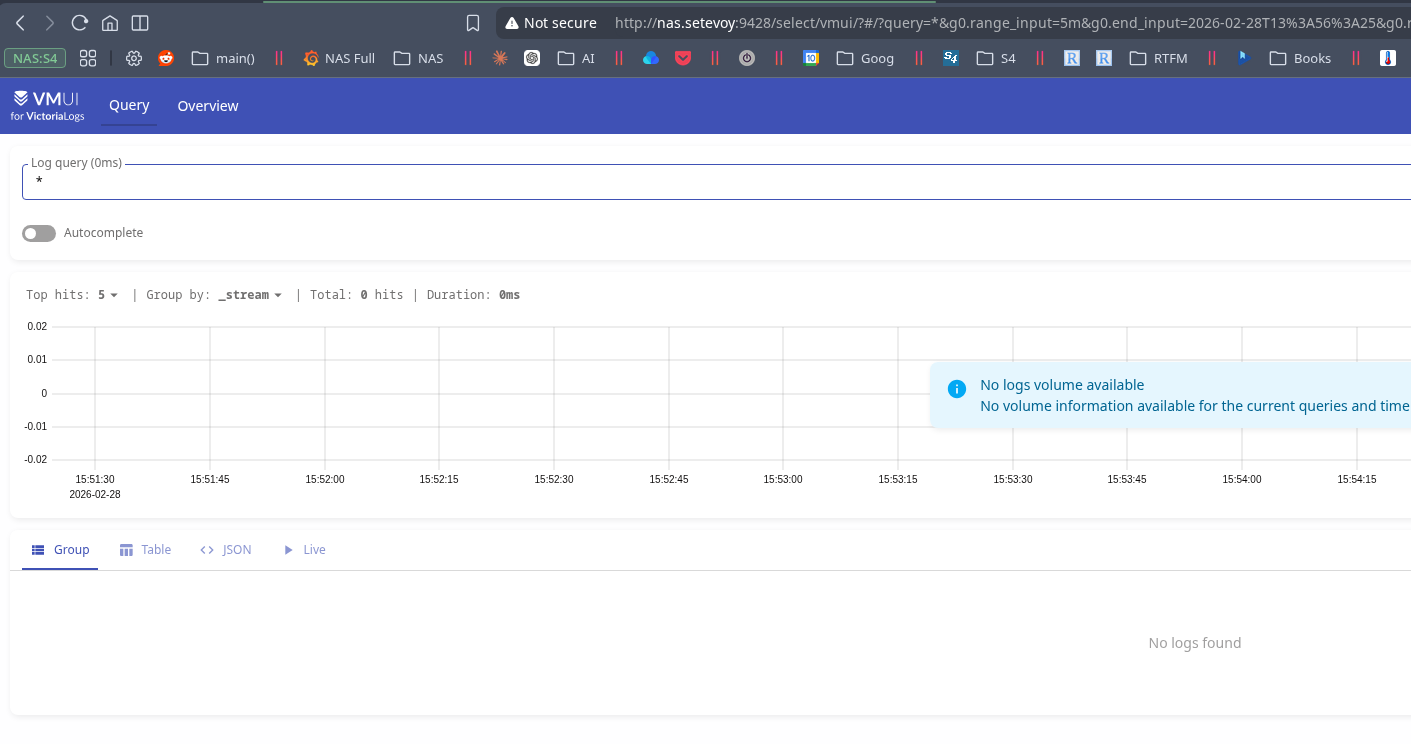
It’s empty for now – let’s add log collection.
Installing Fluent Bit
I wanted to use Vector.dev – but it’s not in the FreeBSD repository or ports, and it’s not even on the list of supported systems.
There’s an open GitHub issue – from back in 2020.
What other options are available:
- Promtail: from Grafana – don’t want it, and they seem to be deprecating it already
- Filebeat: from Elastic, written in Go – but I remember it being a bit heavy on resources
- Fluent Bit: written in C, fast, lightweight, although the config can seem inconvenient
- Logstash: Java – nuff said
- Rsyslog: now there’s a config that’s truly inconvenient, so no (see rsyslog: adding file watching to config – from 2014, in Rus)
So, we’ll go with Fluent Bit.
Let’s check if it’s in the repository:
root@setevoy-nas:~ # pkg search fluent
fluent-bit-4.2.2_2             Fast and lightweight data forwarder
Install it:
root@setevoy-nas:~ # pkg install -y fluent-bit
Check what files it adds to the system:
root@setevoy-nas:~ # pkg info -l fluent-bit | grep etc
  /usr/local/etc/fluent-bit/fluent-bit.conf.sample
  /usr/local/etc/fluent-bit/parsers.conf.sample
  /usr/local/etc/fluent-bit/plugins.conf
  /usr/local/etc/rc.d/fluent-bit
Default config is at /usr/local/etc/fluent-bit/fluent-bit.conf.
Let’s check how it starts:
root@setevoy-nas:~ # cat /usr/local/etc/rc.d/fluent-bit
...
# fluent_bit_enable (bool):	Set to YES to enable fluent-bit
# 				Default: NO
# fluent_bit_config (str):	config files to use
#				Default: /usr/local/etc/fluent-bit/fluent-bit.conf
# fluent_bit_flags (str):	Extra flags passed to fluent-bit
# fluent_bit_user (str):	Default run as user nobody
# fluent_bit_group (str):	Default run as group nogroup
...

: ${fluent_bit_enable:="NO"}
: ${fluent_bit_user:="nobody"}
: ${fluent_bit_group:="nogroup"}
: ${fluent_bit_config:="/usr/local/etc/fluent-bit/fluent-bit.conf"}

pidfile=/var/run/${name}.pid
procname="/usr/local/bin/fluent-bit"
command="/usr/sbin/daemon"
command_args="-H -p ${pidfile} -o /var/log/${name}/${name}.log -t ${name} ${procname} --quiet --config ${fluent_bit_config} ${fluent_bit_flags}"
...
What we’ll need – add fluent_bit_enable to /etc/rc.conf. And pay attention to fluent_bit_user and fluent_bit_group.
Create a directory for its database – fluent-bit will write log file positions here:
root@setevoy-nas:~ # mkdir -p /var/db/fluent-bit
root@setevoy-nas:~ # chown nobody:nogroup /var/db/fluent-bit/
Remove (move) the default config:
root@setevoy-nas:~ # mv /usr/local/etc/fluent-bit/fluent-bit.conf /usr/local/etc/fluent-bit/fluent-bit.conf-default
Write our own /usr/local/etc/fluent-bit/fluent-bit.conf, for now only adding collection of /var/log/messages:
[SERVICE]
    flush        5
    daemon       Off
    log_level    info
    parsers_file parsers.conf
    plugins_file plugins.conf

[INPUT]
    name        tail
    path        /var/log/messages
    tag         freebsd.messages
    db          /var/db/fluent-bit/messages.db

[OUTPUT]
    name        loki
    match       *
    host        localhost
    port        9428
    uri         /insert/loki/api/v1/push?_msg_field=log&_time_field=date
    labels      job=fluent-bit, host=setevoy-nas, logfile=messages
In the uri field we specify the VictoriaLogs address, set the field for _msg, and in labels we specify a set of tags that will be added to logs.
Run for a test:
root@setevoy-nas:~ # vim /usr/local/etc/fluent-bit/fluent-bit.conf ^C
root@setevoy-nas:~ # fluent-bit -c /usr/local/etc/fluent-bit/fluent-bit.conf
Fluent Bit v4.2.2
* Copyright (C) 2015-2025 The Fluent Bit Authors
* Fluent Bit is a CNCF graduated project under the Fluent organization
* https://fluentbit.io

______ _                  _    ______ _ _             ___   _____
|  ___| |                | |   | ___ (_) |           /   | / __  \
| |_  | |_   _  ___ _ __ | |_  | |_/ /_| |_  __   __/ /| | `' / /'
|  _| | | | | |/ _ \ '_ \| __| | ___ \ | __| \ \ / / /_| |   / /
| |   | | |_| |  __/ | | | |_  | |_/ / | |_   \ V /\___  |_./ /___
\_|   |_|\__,_|\___|_| |_|\__| \____/|_|\__|   \_/     |_(_)_____/

             Fluent Bit v4.2 - Direct Routes Ahead
         Celebrating 10 Years of Open, Fluent Innovation!
...
[2026/02/28 16:38:18.797199771] [ info] [output:loki:loki.0] configured, hostname=localhost:9428
...
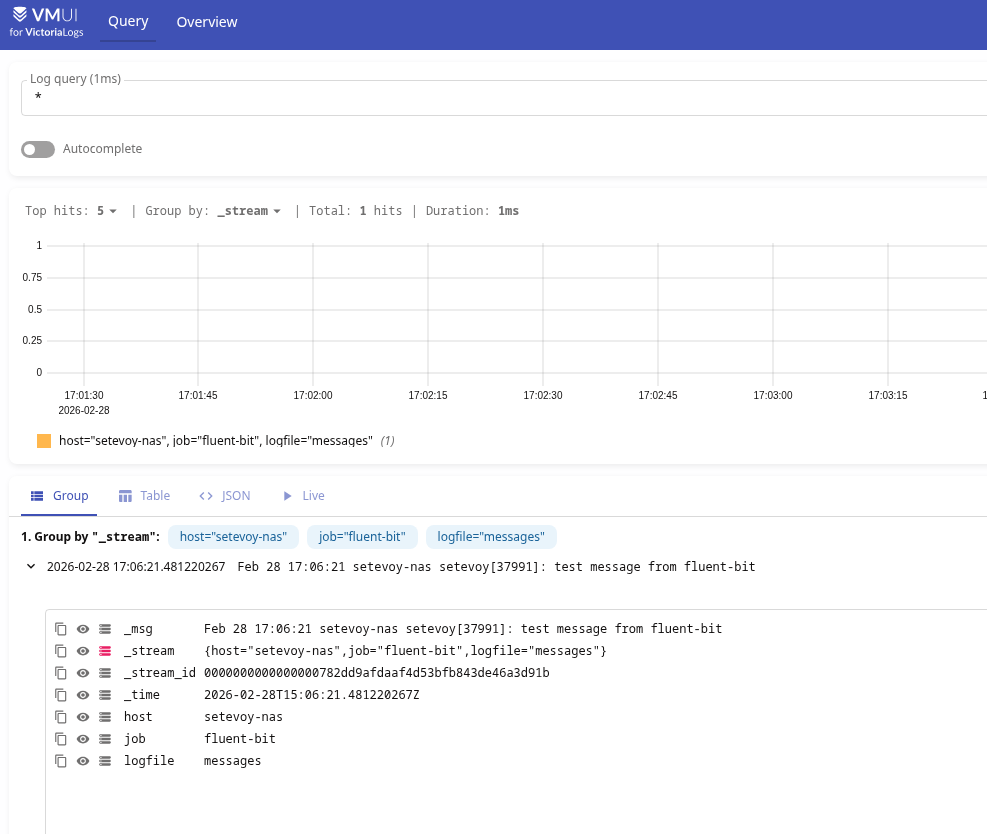
Write a message to /var/log/messages:
root@setevoy-nas:~ # logger "test message from fluent-bit"
Check the service name:
root@setevoy-nas:~ # cat /usr/local/etc/rc.d/fluent-bit | grep name
name="fluent_bit"
rcvar=${name}_enable
...
Add to autostart:
root@setevoy-nas:~ # sysrc fluent_bit_enable="YES"
Start it:
root@setevoy-nas:~ # service fluent-bit start
Starting fluent_bit.
VictoriaLogs and working with logs from the console
VictoriaLogs is really very convenient for working with data from the console, and I think FreeBSD users will appreciate it.
We have two options – either make queries with curl and then parse them – or use vlogscli.
Queries with curl
An example with curl:
root@setevoy-nas:~ # curl -s 'http://localhost:9428/select/logsql/query?query=*'
{"_time":"2026-02-28T14:42:00.20468201Z","_stream_id":"0000000000000000782dd9afdaaf4d53bfb843de46a3d91b","_stream":"{host=\"setevoy-nas\",job=\"fluent-bit\",logfile=\"messages\"}","_msg":"Feb 28 16:42:00 setevoy-nas setevoy[36200]: test message from fluent-bit 2","host":"setevoy-nas","job":"fluent-bit","logfile":"messages"}
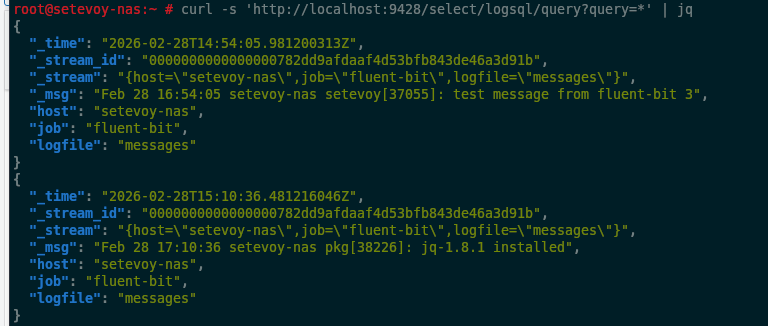
The result comes in JSON, so you can pipe it to jq:
And build all kinds of pipelines:
root@setevoy-nas:~ # curl -s http://localhost:9428/select/logsql/query -d 'query=test' | jq -r '._time + " " + ._msg'
2026-02-28T14:42:00.20468201Z Feb 28 16:42:00 setevoy-nas setevoy[36200]: test message from fluent-bit 2
2026-02-28T14:53:49.481172045Z Feb 28 16:48:41 setevoy-nas setevoy[36663]: test message from fluent-bit 3
2026-02-28T14:54:05.981200313Z Feb 28 16:54:05 setevoy-nas setevoy[37055]: test message from fluent-bit 3
2026-02-28T15:06:21.481220267Z Feb 28 17:06:21 setevoy-nas setevoy[37991]: test message from fluent-bit
2026-02-28T15:12:46.231202127Z Feb 28 17:12:46 setevoy-nas setevoy[38385]: test message from fluent-bit
2026-02-28T15:14:42.731213928Z Feb 28 17:14:42 setevoy-nas setevoy[38502]: test message for vlogscli
2026-02-28T15:15:48.981198786Z Feb 28 17:15:48 setevoy-nas setevoy[38569]: test message for vlogscli
2026-02-28T15:17:59.731198268Z Feb 28 17:17:59 setevoy-nas setevoy[38684]: test message for vlogscli
Queries with vlogscli
Launch vlogscli:
root@setevoy-nas:~ # vlogscli
sending queries to -datasource.url=http://localhost:9428/select/logsql/query
type ? and press enter to see available commands
;>
And for example run \tail:
;> \tail *;
executing [*]...; duration: client 9.003s
{
  "_msg": "Feb 28 17:17:59 setevoy-nas setevoy[38684]: test message for vlogscli",
  "_stream": "{host=\"setevoy-nas\",job=\"fluent-bit\",logfile=\"messages\"}",
  "_stream_id": "0000000000000000782dd9afdaaf4d53bfb843de46a3d91b",
  "_time": "2026-02-28T15:17:59.731198268Z",
  "host": "setevoy-nas",
  "job": "fluent-bit",
  "logfile": "messages"
}
Or use various LogsQL filters and pipes, for example – Time filter:
;> _time:5m;
executing [_time:5m]...; duration: server 0.000s
{
  "_msg": "Feb 28 17:17:59 setevoy-nas setevoy[38684]: test message for vlogscli",
  "_stream": "{host=\"setevoy-nas\",job=\"fluent-bit\",logfile=\"messages\"}",
  "_stream_id": "0000000000000000782dd9afdaaf4d53bfb843de46a3d91b",
  "_time": "2026-02-28T15:17:59.731198268Z",
  "host": "setevoy-nas",
  "job": "fluent-bit",
  "logfile": "messages"
}
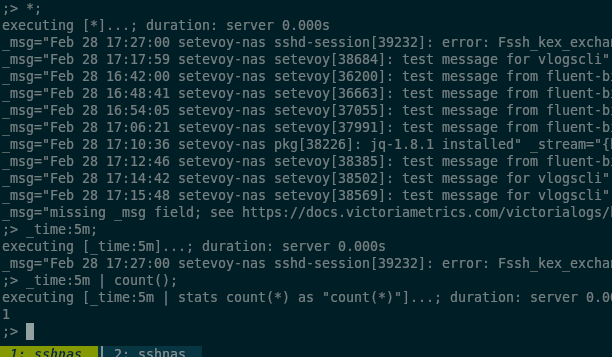
Or enable compact mode:
;> \c
compact output mode
Then the output will look like this:
vmalert and alerts from logs
For vmalert you can create Recording Rules – read logs, generate metrics, and then from those metrics either draw graphs in Grafana – or create alerts.
See VictoriaLogs: creating Recording Rules with VMAlert.
But for this, vmalert needs to make requests to two datasources:
- to VictoriaLogs on port 9428 and URI
/select/logsql/– to read logs - to VictoriaMetrics on port 8428 – to write metrics and execute queries for creating alerts
But you can’t set two --datasource.url flags for vmalert – however you can do basic routing through vmauth, as I did on a work project where all of this runs in Kubernetes – and then specify the vmauth address in --datasource.url for vmalert.
See VictoriaMetrics: VMAuth – proxy, authentication and authorization.
Configuring vmauth
vmauth is already installed on my system from the vmutils package, now I just need to add a config with routes and an rc.d script, since it’s not included in the vmutils package:
root@setevoy-nas:~ # pkg info -l vmutils | grep vmauth
  /usr/local/bin/vmauth
  /usr/local/share/doc/vmutils/vmauth.md
  /usr/local/share/doc/vmutils/vmauth_flags.md
Create the config /usr/local/etc/vmauth.yml with two routes – for VictoriaLogs and VictoriaMetrics:
unauthorized_user:
  url_map:
    - src_paths:
        - "/select/logsql/.*"
      url_prefix: "http://127.0.0.1:9428"
    - src_paths:
        - "/.*"
      url_prefix: "http://127.0.0.1:8428"
Write the rc.d script – /usr/local/etc/rc.d/vmauth:
#!/bin/sh

# PROVIDE: vmauth
# REQUIRE: LOGIN
# KEYWORD: shutdown

. /etc/rc.subr

name="vmauth"
rcvar="vmauth_enable"

load_rc_config $name

: ${vmauth_enable:="NO"}
: ${vmauth_user:="victoria-metrics"}
: ${vmauth_logfile:="/var/log/vmauth.log"}
: ${vmauth_args:="-auth.config=/usr/local/etc/vmauth.yml -httpListenAddr=:8427"}

pidfile="/var/run/${name}.pid"
command="/usr/sbin/daemon"
procname="/usr/local/bin/vmauth"

command_args="-f -o ${vmauth_logfile} -p ${pidfile} ${procname} ${vmauth_args}"

start_cmd="vmauth_start"
stop_cmd="vmauth_stop"

vmauth_start()
{
  echo "Starting vmauth"
  touch ${vmauth_logfile}
  chown ${vmauth_user} ${vmauth_logfile}
  ${command} ${command_args}
}

vmauth_stop()
{
  echo "Stopping vmauth"
  kill `cat ${pidfile}`
}

run_rc_command "$1"
Set execution permissions:
root@setevoy-nas:~ # chmod +x /usr/local/etc/rc.d/vmauth
Add startup to /etc/rc.conf:
root@setevoy-nas:~ # sysrc vmauth_enable="YES"
vmauth_enable:  -> YES
Start it:
root@setevoy-nas:~ # service vmauth start
Starting vmauth
Check the port:
root@setevoy-nas:~ # sockstat -4 -l | grep vmauth
root     vmauth     42277 4   tcp4   *:8427                *:*
Add vmalert_args:
root@setevoy-nas:~ # sysrc vmalert_args="--datasource.url=http://127.0.0.1:8427 --notifier.url=http://127.0.0.1:9093 --rule=/usr/local/etc/vmalert/*.yml --remoteWrite.url=http://127.0.0.1:8428"
Here:
--datasource.url=http://127.0.0.1:8427: vmauth address, which will route requests by URI to either VictoriaLogs or VictoriaMetrics--notifier.url=http://127.0.0.1:9093: Alertmanager address--remoteWrite.url=http://127.0.0.1:8428: VictoriaMetrics address, where we’ll write generated metrics
Creating a vmalert Recording Rule and alert
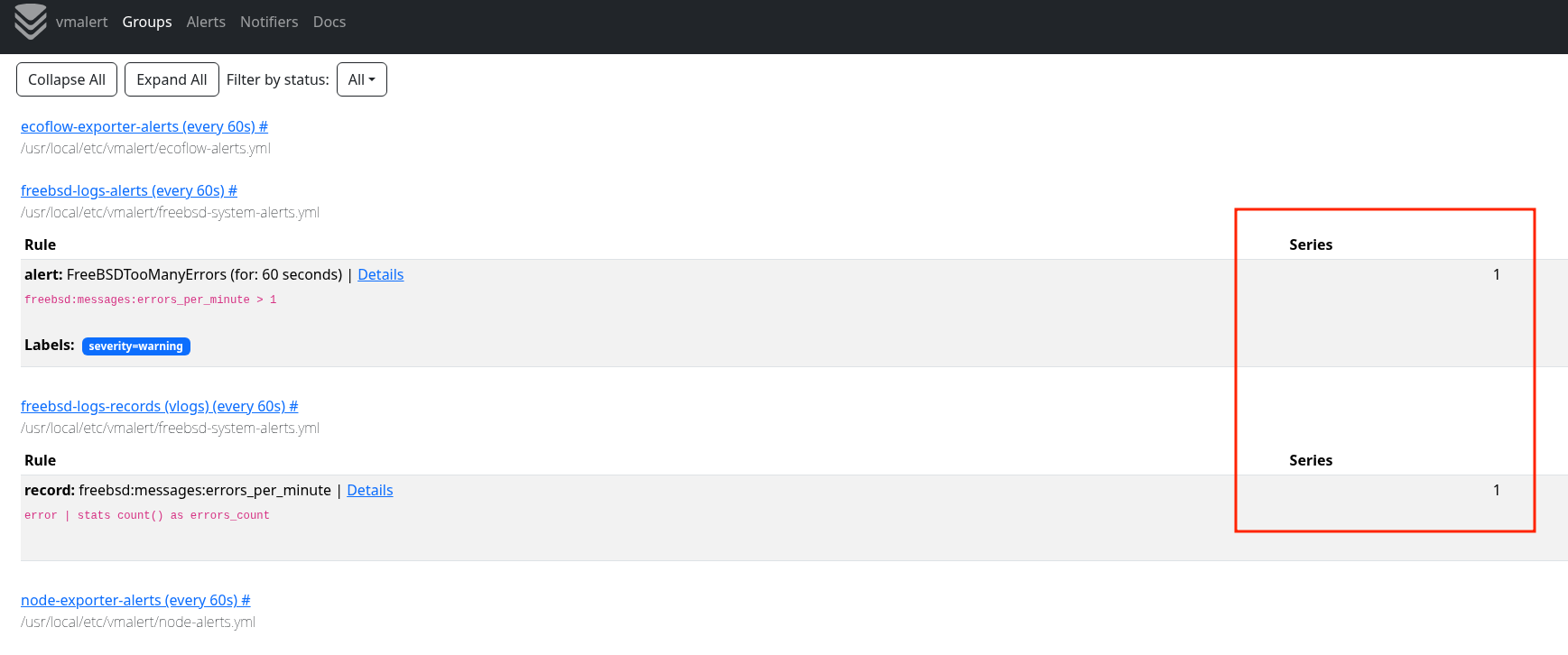
And an example metric and alert – file /usr/local/etc/vmalert/freebsd-system-alerts.yml:
groups:

  - name: freebsd-logs-records
    type: vlogs
    interval: 1m
    rules:
      - record: freebsd:messages:errors_per_minute
        expr: 'error | stats count() as errors_count'

  - name: freebsd-logs-alerts
    rules:
      - alert: FreeBSDTooManyErrors
        expr: freebsd:messages:errors_per_minute > 1
        for: 1m
        labels:
          severity: warning
        annotations:
          summary: "Too many errors in logs"
Restart vmalert:
root@setevoy-nas:~ # service vmalert restart
Stopping vmalert
Starting vmalert
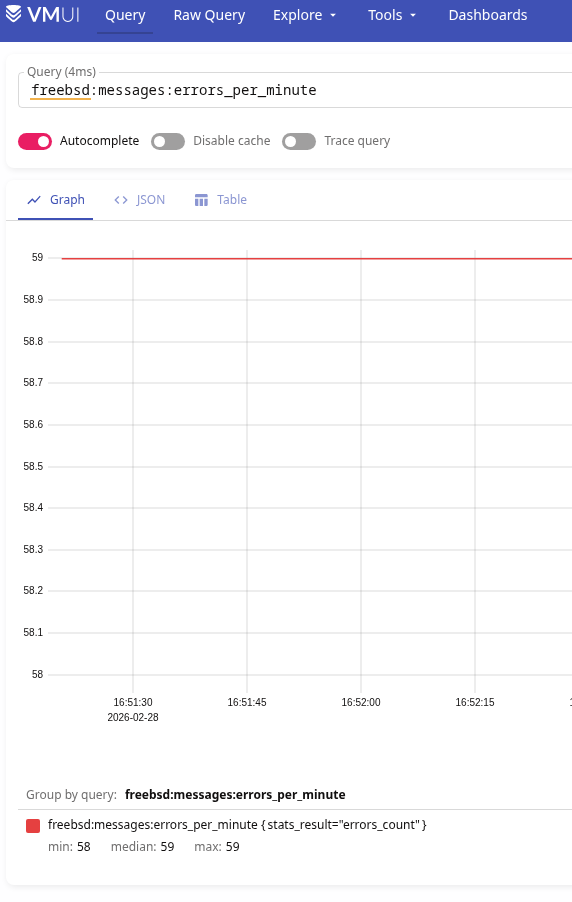
Run a test by writing “error” to /var/log/messages:
root@setevoy-nas:~ # while true; do logger "error test message"; sleep 1; done
Check in VictoriaMetrics:
Check in VMAlert:
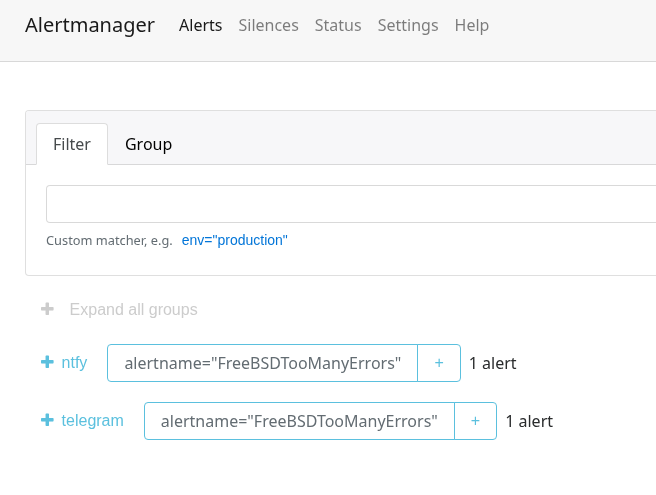
Get the alert in Alertmanager:
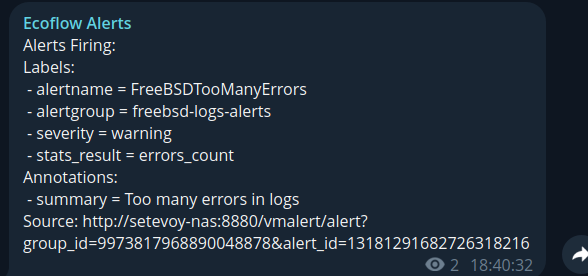
And the alert in Telegram (the bot was created for EcoFlow alerts, hence the name):
Done.
