 I’m gradually getting closer to wrapping up the home NAS setup on FreeBSD.
There’s already a ZFS pool, datasets, and monitoring – time to start setting up backup automation.
But what seemed pretty simple at first – “just copy the needed directories from the work laptop” – turned out to be an increasingly interesting problem the deeper I went.
I’ll describe the backup planning and automation in more detail separately, but today we’ll get acquainted with another great tool – Syncthing.
All parts of the series on setting up a home NAS on FreeBSD:
- FreeBSD: Home NAS, part 1 – configuring ZFS mirror (RAID1)
- FreeBSD: Home NAS, part 2 – introduction to Packet Filter (PF) firewall
- FreeBSD: Home NAS, part 3 – WireGuard VPN, Linux peer, and routing
- FreeBSD: Home NAS, part 4 – Local DNS with Unbound
- FreeBSD: Home NAS, part 5 – ZFS pool, datasets, snapshots, and ZFS monitoring
- FreeBSD: Home NAS, part 6 – Samba server and client connections
- FreeBSD: Home NAS, part 7 – NFSv4 and use with Linux clients
- FreeBSD: Home NAS, part 8 – NFS and Samba data backup with restic
- FreeBSD: Home NAS, part 9 – data backup to AWS S3 and Google Drive with rclone
- FreeBSD: Home NAS, part 10 – monitoring with VictoriaMetrics and Grafana
- FreeBSD: Home NAS, part 11 – extended monitoring with additional exporters
- (current) FreeBSD: Home NAS, part 12: synchronizing data with Syncthing
- FreeBSD: Home NAS, Part 13: Planning Data Storage and Backups
- FreeBSD: Home NAS, part 14 – logs with VictoriaLogs and alerts with VMAlert
- FreeBSD: Home NAS, Part 15: Automating Backups – scripts, rsync, rclone
- (to be continued)
Contents
Syncthing overview
So, why do I need it: there are several hosts (work laptop, home laptop, gaming PC) between which I need to sync shared data.
Shared data means directories with photos, music, pictures – everything that doesn’t change very often and doesn’t have “junk” like .git, logs, or tmp directories.
Such directories should be identical across laptops, PC, and the NAS itself, and when I started thinking about how to sync all of this – I ran into the problem that data on any host can be both added and deleted – and I need to track all that and copy all changes everywhere.
Rsync or Rclone don’t really fit here, because they work on a master-slave principle – there’s one source of truth, and its contents are controlled by Rsync/Rclone.
But in this case, with multiple hosts each making their own changes that need to be mirrored to the others – a different tool is needed, one that can monitor and copy all changes on its own.
On top of that, there’s also a mobile phone with photos that I want to back up directly to the NAS rather than to Google or Proton Drive.
And this is exactly where Syncthing comes in:
- connects to multiple hosts
- for each host you configure which local directories to sync to other hosts and which directories from other hosts to sync locally
- transfers data with traffic encryption
It also has a convenient Web UI, stores config in a file that’s easy to back up, has clients for Android and iOS, and has excellent documentation.
Getting a bit ahead of myself (since the diagram is from the next post FreeBSD: Home NAS, part 13: backup planning) – Syncthing’s role in my setup looks like this:
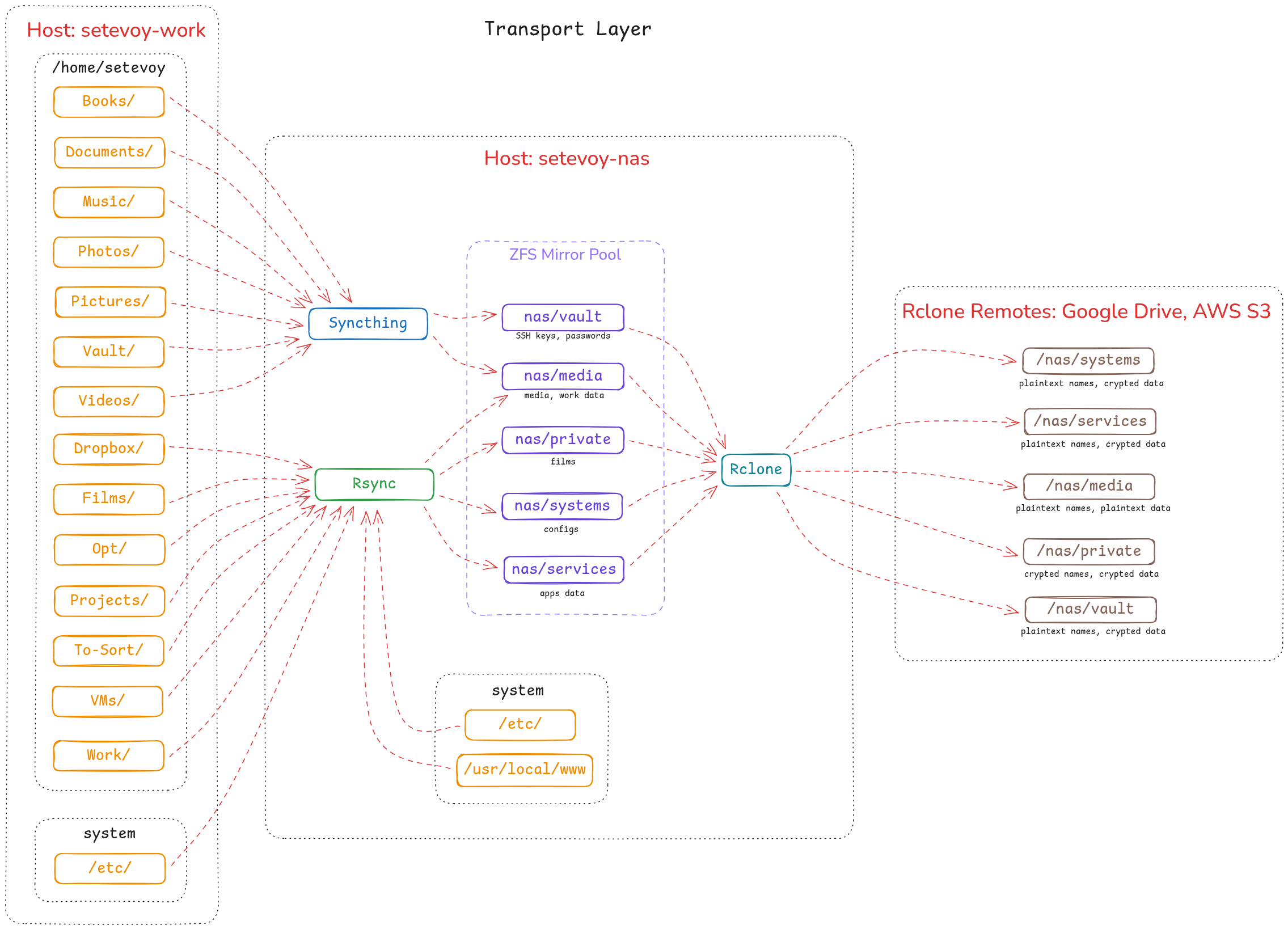
So today we’ll install Syncthing on the NAS with FreeBSD and on a laptop with Arch Linux, and see how it all works.
Installing Syncthing on FreeBSD
Syncthing is in the repository, install it:
root@setevoy-nas:~ # pkg install syncthing
Add to /etc/rc.conf:
root@setevoy-nas:~ # sysrc syncthing_enable="YES"
syncthing_enable:  -> YES
root@setevoy-nas:~ # sysrc syncthing_user="setevoy"
syncthing_user:  -> setevoy
Config file – /usr/local/etc/syncthing/config.xml.
Most settings are done through the Web UI (although there’s also a CLI), but by default Syncthing starts on localhost.
Since this is FreeBSD without an X server – there’s no browser there either.
So let’s edit the file and set the external interface IP, which is 192.168.0.2 in my case (though I’ll redo the addressing when I get to MikroTik and its DHCP):
...
    <gui enabled="true" tls="false" sendBasicAuthPrompt="false">
        <address>192.168.0.2:8384</address>
        <metricsWithoutAuth>false</metricsWithoutAuth>
        <apikey>L2P***eAk</apikey>
        <theme>default</theme>
    </gui>
...
Start the service:
root@setevoy-nas:~ # service syncthing start
Starting syncthing.
Check the port:
root@setevoy-nas:~ # sockstat -4 -l | grep 8384
setevoy  syncthing  34083 18  tcp4   192.168.0.2:8384   *:*
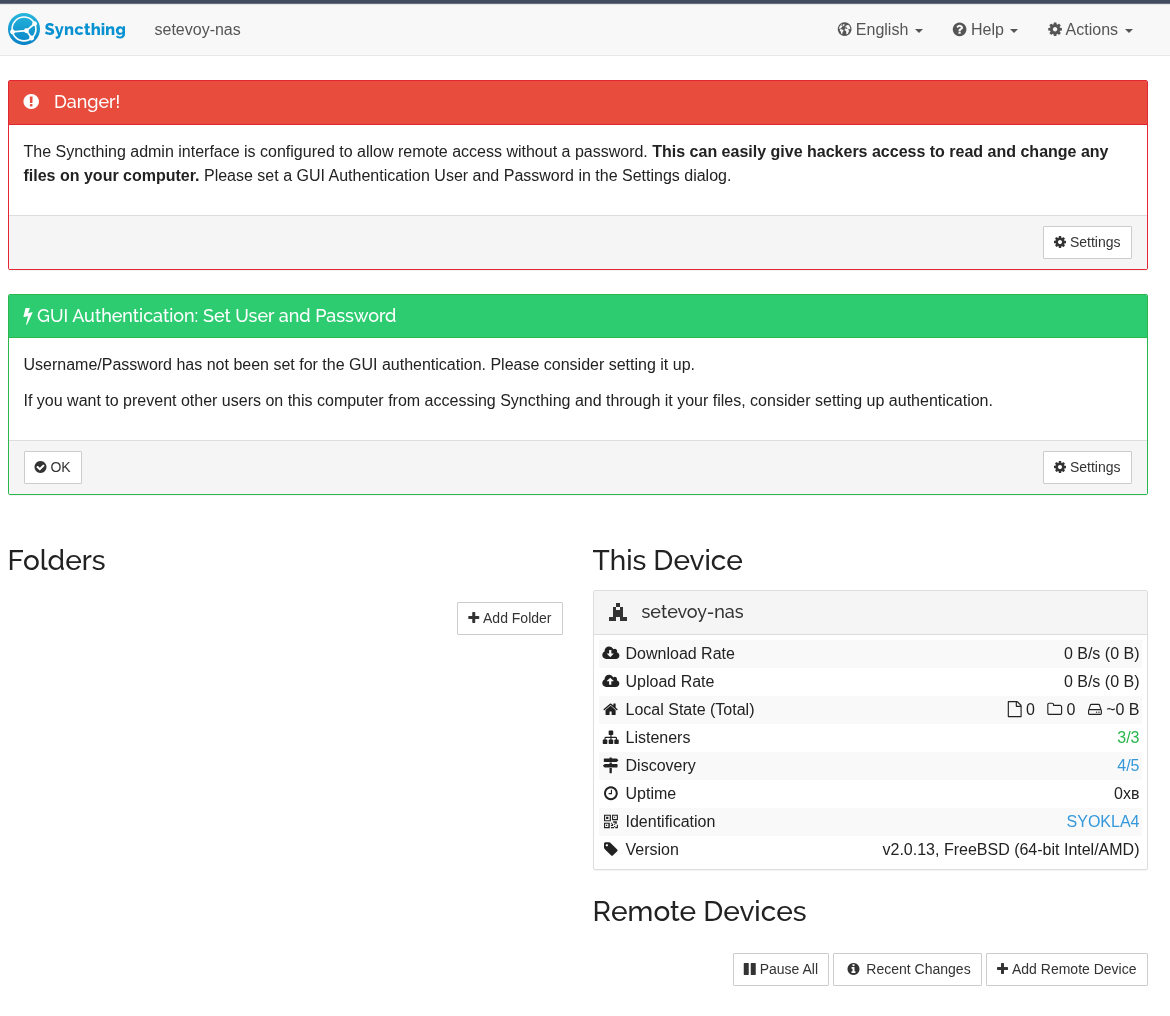
Open the dashboard:
Creating a ZFS dataset
While getting familiar with the system – I created a separate dataset:
root@setevoy-nas:~ # zfs create nas/syncthing-test
root@setevoy-nas:~ # zfs list nas/syncthing-test
NAME                 USED  AVAIL  REFER  MOUNTPOINT
nas/syncthing-test    96K  2.24T    96K  /nas/syncthing-test
Set the owner – since Syncthing runs as user setevoy (set via syncthing_user="setevoy" in /etc/rc.conf):
root@setevoy-nas:~ # chown setevoy:setevoy /nas/syncthing-test
root@setevoy-nas:~ # ls -ld /nas/syncthing-test
drwxr-xr-x  2 setevoy setevoy 2 Feb 13 19:05 /nas/syncthing-test
Adding a directory
Now let’s add a local directory that can be made available for syncing on other hosts:
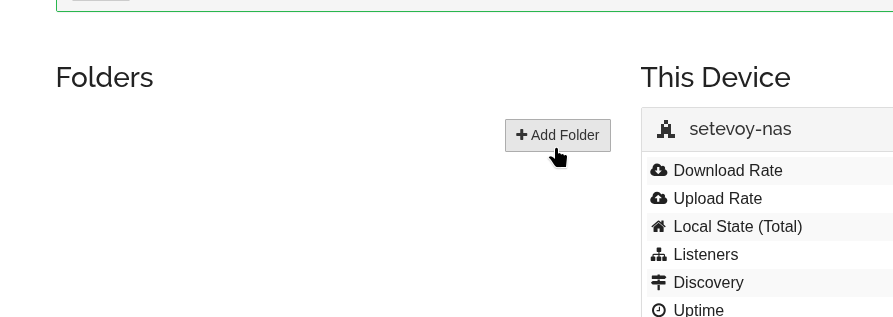
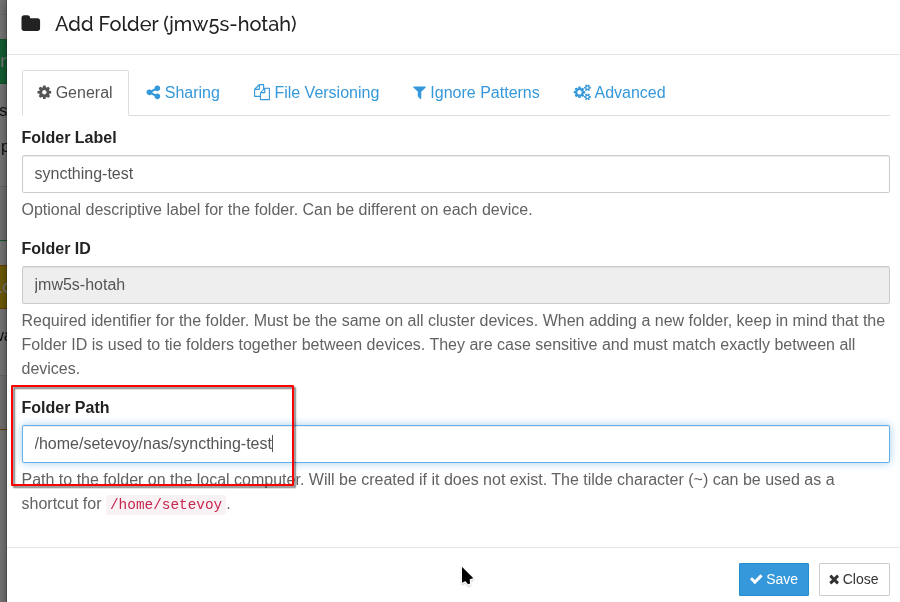
Specify a name and the local path.
Leave the Folder ID as is – it’s just a unique identifier used between hosts:
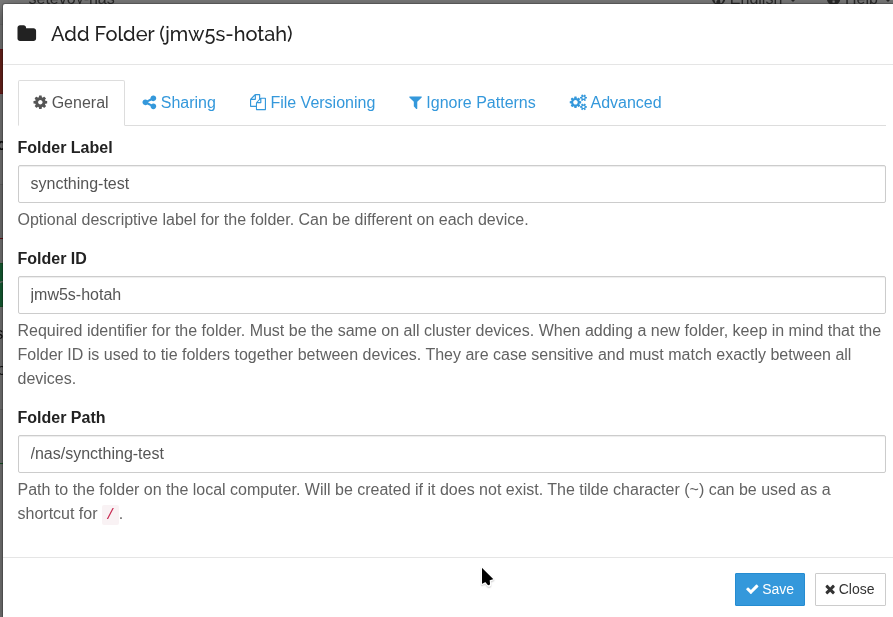
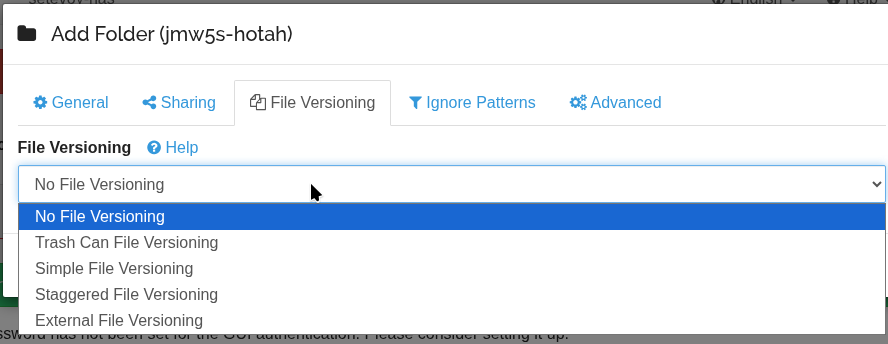
There’s also Versioning settings here – for keeping copies, we’ll look at that in more detail below:
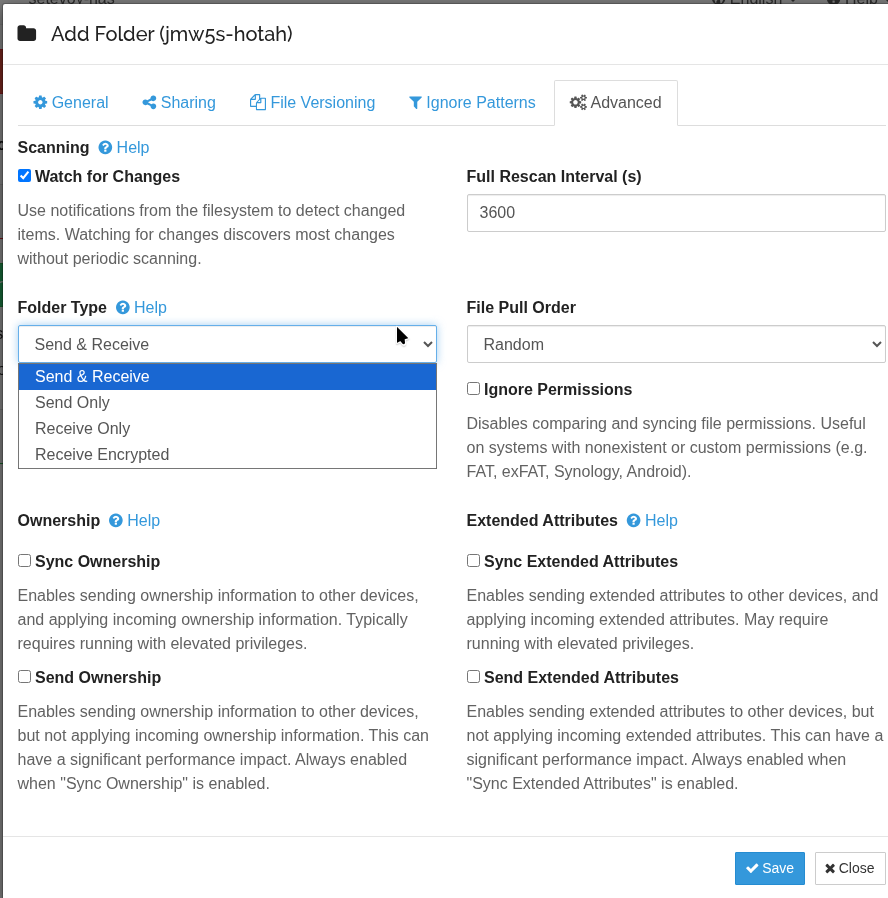
And some interesting Advanced options – but that’s for another time:
After adding a new directory, it will be saved in .../syncthing/config.xml:
root@setevoy-nas:~ # cat /usr/local/etc/syncthing/config.xml | grep jmw5s-hotah
    <folder id="jmw5s-hotah" label="syncthing-test" path="/nas/syncthing-test" type="sendreceive" rescanIntervalS="3600" fsWatcherEnabled="true" fsWatcherDelayS="10" fsWatcherTimeoutS="0" ignorePerms="false" autoNormalize="true">
Now let’s add the first “client” – although Syncthing is a peer-to-peer architecture, in my specific case there’s a separate server or hub, and the other hosts are clients.
Installing Syncthing on Arch Linux
Also available in the repository, install it:
[setevoy@setevoy-work ~] $ sudo pacman -S syncthing
You can run it manually for now – to see its output:
[setevoy@setevoy-work ~]  $ syncthing
2026-02-13 19:14:21 INF syncthing v2.0.14 "Hafnium Hornet" (go1.25.6 X:nodwarf5 linux-amd64) syncthing@archlinux 2026-02-03 09:05:00 UTC [noupgrade] (log.pkg=main)
2026-02-13 19:14:21 INF Generating key and certificate (cn=syncthing log.pkg=syncthing)
2026-02-13 19:14:21 INF Default config saved; edit to taste (with Syncthing stopped) or use the GUI (path=/home/setevoy/.local/state/syncthing/config.xml log.pkg=syncthing)
2026-02-13 19:14:21 INF Archiving a copy of old config file format (path=/home/setevoy/.local/state/syncthing/config.xml.v0 log.pkg=syncthing)
2026-02-13 19:14:21 INF Calculated our device ID (device=2W2JHRW-T***-2TRDAAF log.pkg=syncthing)
2026-02-13 19:14:21 INF Overall rate limit in use (send="is unlimited" recv="is unlimited" log.pkg=connections)
2026-02-13 19:14:21 INF Using discovery mechanism (identity="global discovery server https://discovery-lookup.syncthing.net/v2/?noannounce" log.pkg=discover)
2026-02-13 19:14:21 INF Using discovery mechanism (identity="global discovery server https://discovery-announce-v4.syncthing.net/v2/?nolookup" log.pkg=discover)
2026-02-13 19:14:21 INF Using discovery mechanism (identity="global discovery server https://discovery-announce-v6.syncthing.net/v2/?nolookup" log.pkg=discover)
2026-02-13 19:14:21 INF Using discovery mechanism (identity="IPv4 local broadcast discovery on port 21027" log.pkg=discover)
2026-02-13 19:14:21 INF Using discovery mechanism (identity="IPv6 local multicast discovery on address [ff12::8384]:21027" log.pkg=discover)
2026-02-13 19:14:21 INF Relay listener starting (id=dynamic+https://relays.syncthing.net/endpoint log.pkg=connections)
2026-02-13 19:14:21 INF QUIC listener starting (address="[::]:22000" log.pkg=connections)
2026-02-13 19:14:21 INF Creating new HTTPS certificate (log.pkg=api)
2026-02-13 19:14:21 INF TCP listener starting (address="[::]:22000" log.pkg=connections)
2026-02-13 19:14:21 INF GUI and API listening (address=127.0.0.1:8384 log.pkg=api)
2026-02-13 19:14:21 INF Access the GUI via the following URL: http://127.0.0.1:8384/ (log.pkg=api)
2026-02-13 19:14:21 INF Loaded configuration (name=setevoy-work log.pkg=syncthing)
2026-02-13 19:14:21 INF Measured hashing performance (perf="1978.89 MB/s" log.pkg=syncthing)
Adding Remote Devices
Now we need to add the Syncthing on Linux to the pool with Syncthing on FreeBSD.
On Linux go to Actions > Show ID:
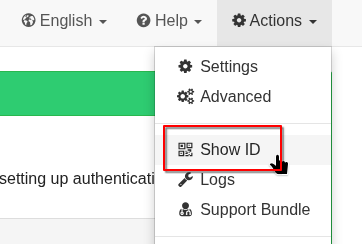
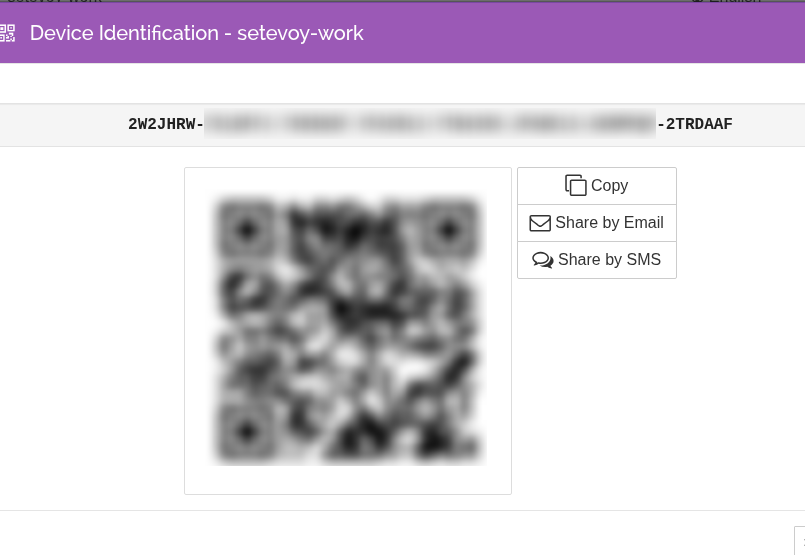
(The QR code is very handy for connecting mobile clients – already did that, works great)
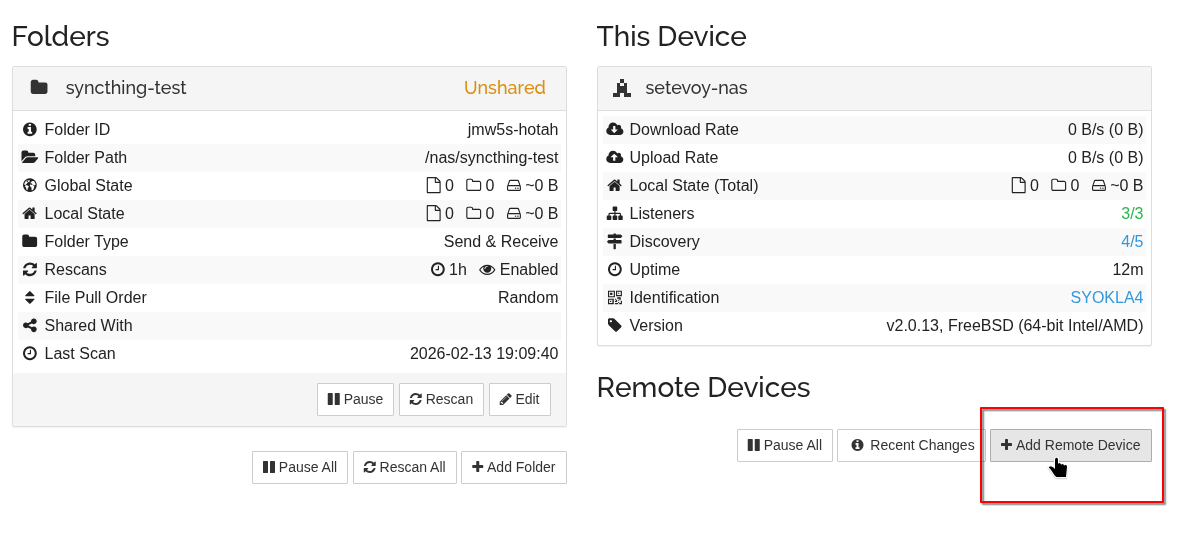
Then on FreeBSD click Add Remote Device:
It already detected the client on the Linux host on the network (see Syncthing Discovery Server and Security Principles):
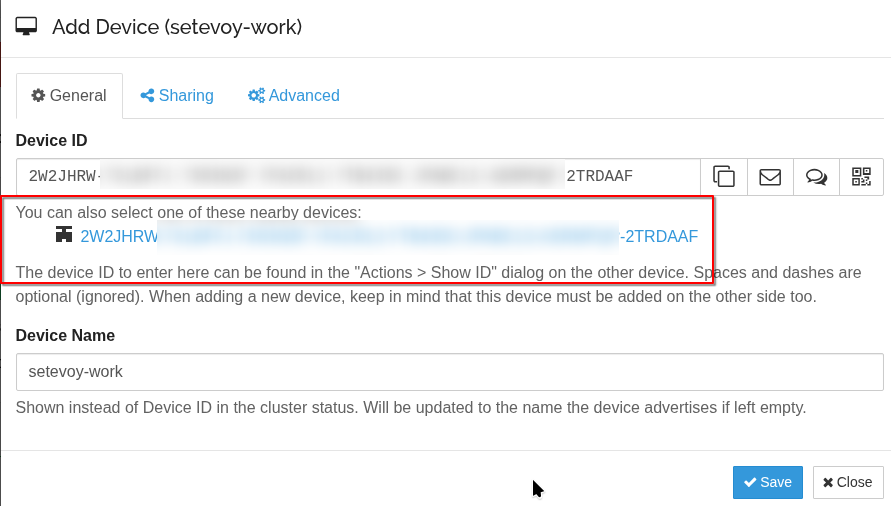
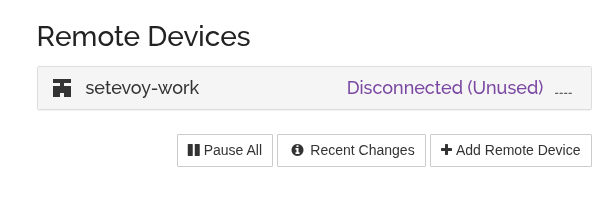
Click Save, but the Linux client is currently in Disconnected status:
Go back to Syncthing on Linux – a connection request has arrived there:
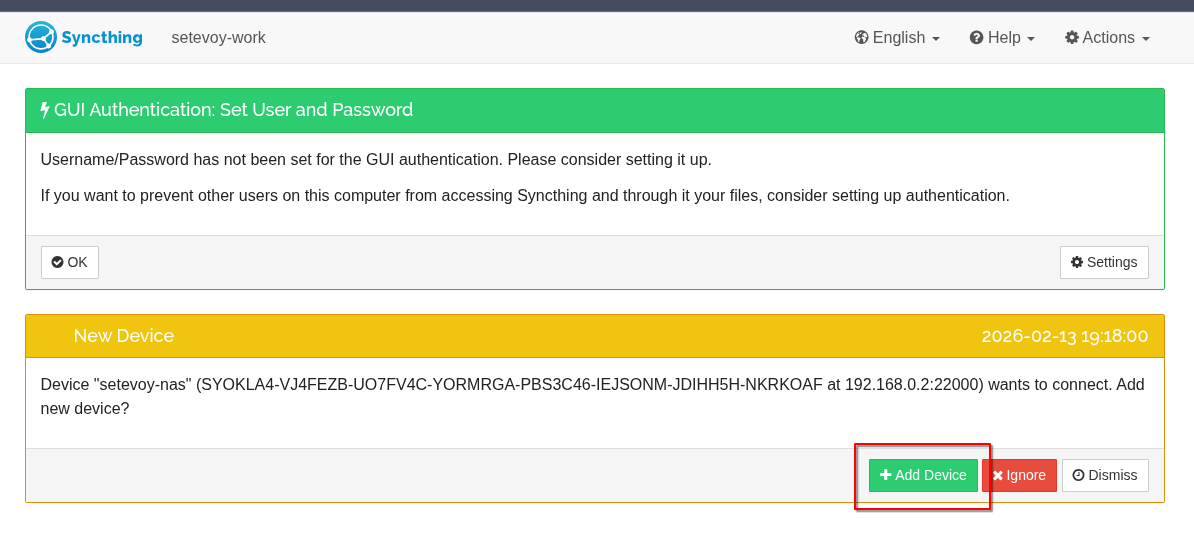
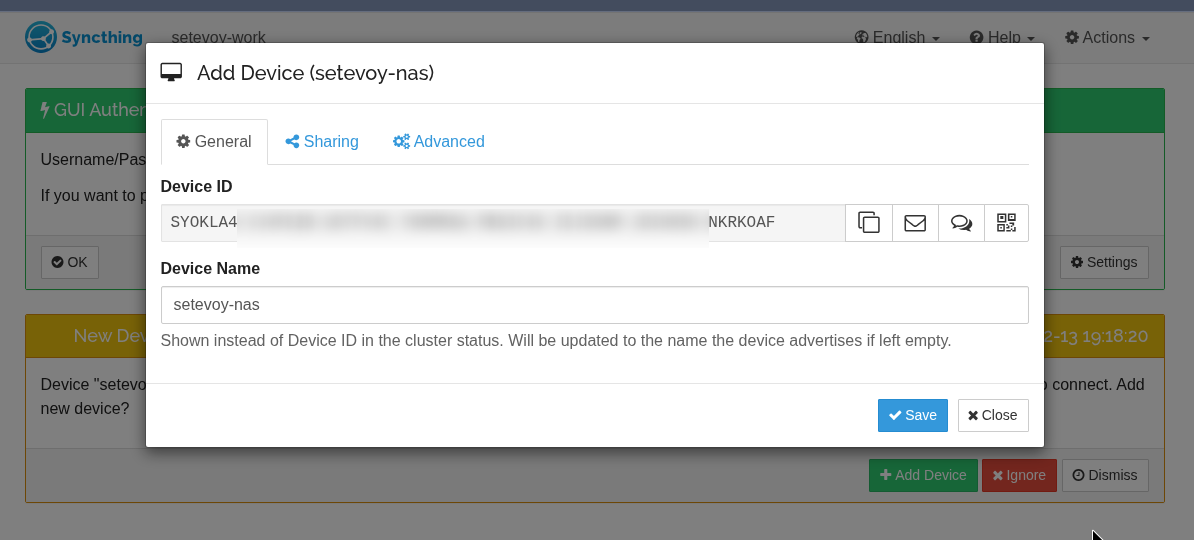
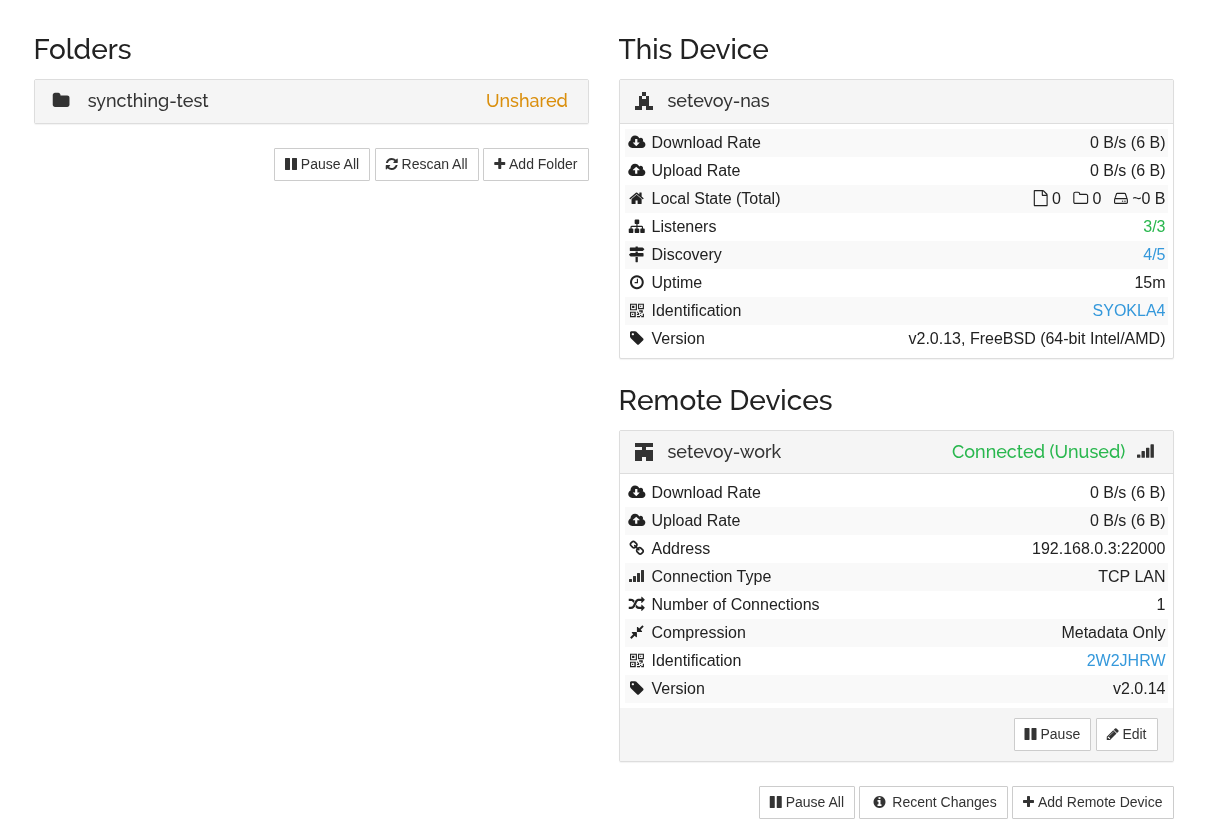
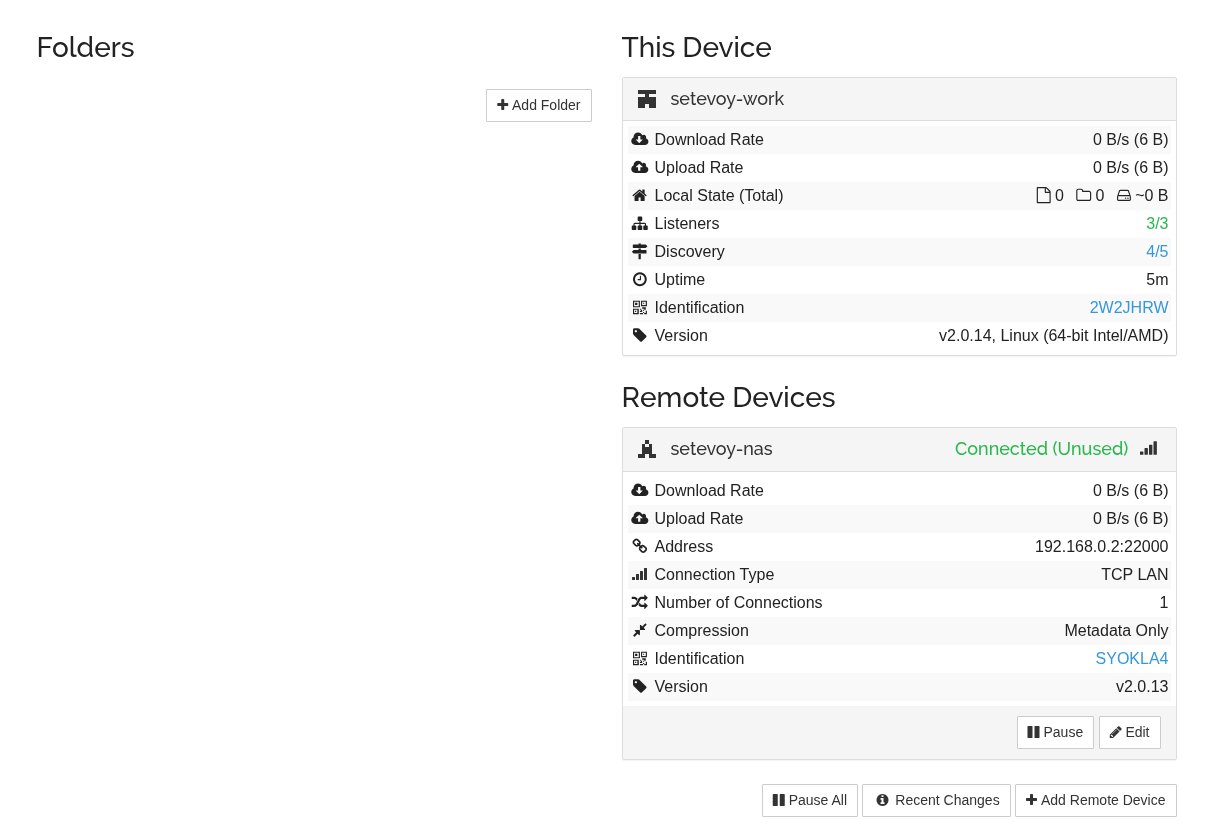
And now we have two devices joined into a network.
On FreeBSD:
And on the Linux laptop:
Configuring Folder Sharing
Now let’s see how syncing works.
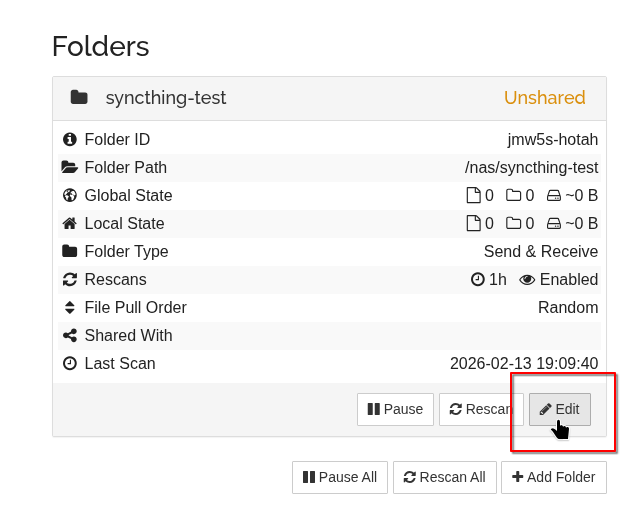
On FreeBSD, click Edit on the folder we created earlier:
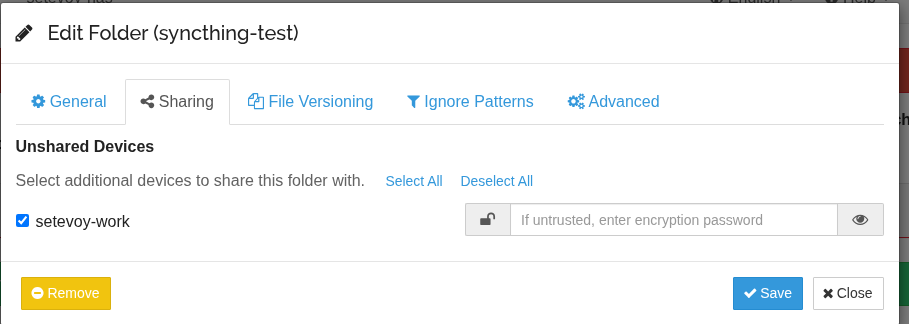
Go to the Sharing tab, select the devices you want to share the folder with:
Similar to adding Devices – first a confirmation request will arrive on the Linux client:

Click Add, set the local path on the Linux laptop:
Let’s check how all of this works.
Create a file on FreeBSD:
root@setevoy-nas:~ # echo "hello from nas" > /nas/syncthing-test/test1.txt
Look at Syncthing output on the laptop – it shows what changed and when:
...
2026-02-13 19:23:54 INF Synced file (folder.label=syncthing-test folder.id=jmw5s-hotah folder.type=sendreceive file.name=test1.txt file.modified="2026-02-13 19:23:43.432316 +0200 EET" file.permissions=0644 file.size=15 file.blocksize=131072 blocks.local=0 blocks.download=1 log.pkg=model)
...
And the file is now on the Linux client:
[setevoy@setevoy-work ~]  $ ll nas/syncthing-test/
total 4
-rw-r--r-- 1 setevoy setevoy 15 Feb 13 19:23 test1.txt
Let’s test reverse sync – add a file on Linux:
[setevoy@setevoy-work ~] $ echo "hello from laptop" > /home/setevoy/nas/syncthing-test/test2.txt
And a few seconds later – it’s on FreeBSD too:
root@setevoy-nas:~ # cat /nas/syncthing-test/test2.txt
hello from laptop
Test deletion:
[setevoy@setevoy-work ~] $ rm /home/setevoy/nas/syncthing-test/test2.txt
And it disappears on FreeBSD too:
root@setevoy-nas:~ # ll /nas/syncthing-test/
total 3
drwxr-xr-x  2 setevoy setevoy    3B Feb 13 19:09 .stfolder
-rw-r--r--  1 root    setevoy   15B Feb 13 19:23 test1.txt
-rw-r--r--  1 setevoy setevoy   18B Feb 13 19:25 test2.txt
root@setevoy-nas:~ # ll /nas/syncthing-test/
total 2
drwxr-xr-x  2 setevoy setevoy    3B Feb 13 19:09 .stfolder
-rw-r--r--  1 root    setevoy   15B Feb 13 19:23 test1.txt
Configuring Versioning for backups
Now about how to back up data – protection against accidental deletion.
Documentation – File Versioning.
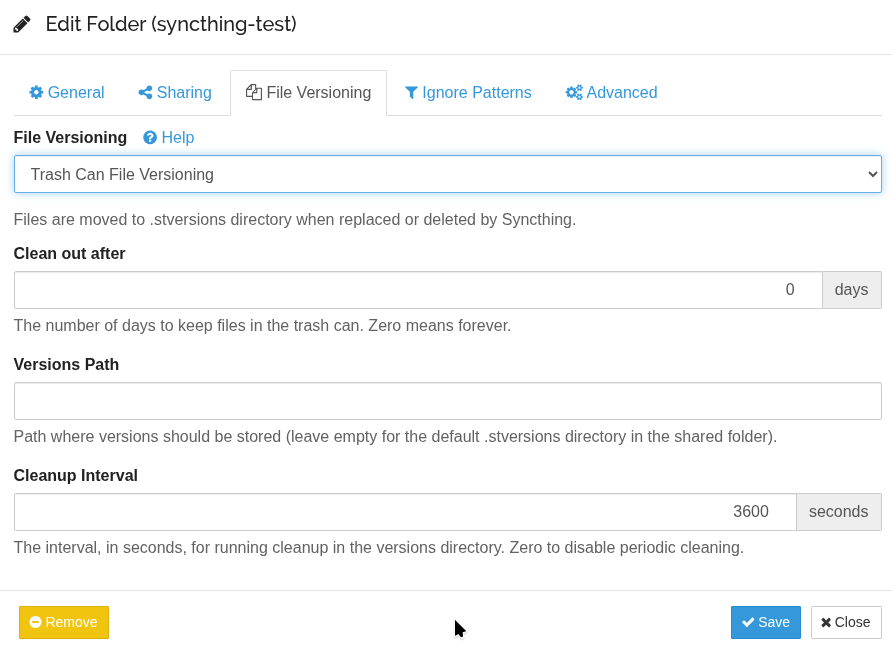
Go to Folder > Edit, the File Versioning tab:
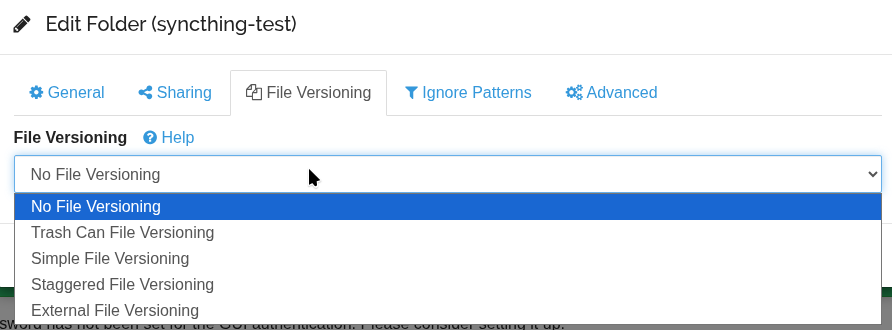
Options here:
- Trash Can: on deletion the file is moved to
.stversions - Simple: keeps N latest versions
- Staggered: keeps versions over time (1h, 1d, 1w, etc.)
- External: call an external script
Let’s try Trash Versioning:
Create a new file on the Linux client:
[setevoy@setevoy-work ~] $ echo "hello from laptop" > /home/setevoy/nas/syncthing-test/test-trash.txt
Wait for it to appear on the FreeBSD host:
root@setevoy-nas:/home/setevoy # ll /nas/syncthing-test/
total 3
drwxr-xr-x  2 setevoy setevoy    3B Feb 13 19:09 .stfolder
-rw-r--r--  1 setevoy setevoy   18B Feb 13 19:33 test-trash.txt
-rw-r--r--  1 root    setevoy   15B Feb 13 19:23 test1.txt
Delete it on the laptop:
[setevoy@setevoy-work ~] $ rm /home/setevoy/nas/syncthing-test/test-trash.txt
And a few seconds later it disappears on FreeBSD:
root@setevoy-nas:/home/setevoy # ll /nas/syncthing-test/
total 3
drwxr-xr-x  2 setevoy setevoy    3B Feb 13 19:09 .stfolder
-rw-r--r--  1 setevoy setevoy   18B Feb 13 19:33 test-trash.txt
-rw-r--r--  1 root    setevoy   15B Feb 13 19:23 test1.txt
root@setevoy-nas:/home/setevoy # ll /nas/syncthing-test/
total 3
drwxr-xr-x  2 setevoy setevoy    3B Feb 13 19:09 .stfolder
drwxr-xr-x  2 setevoy setevoy    3B Feb 13 19:34 .stversions
-rw-r--r--  1 root    setevoy   15B Feb 13 19:23 test1.txt
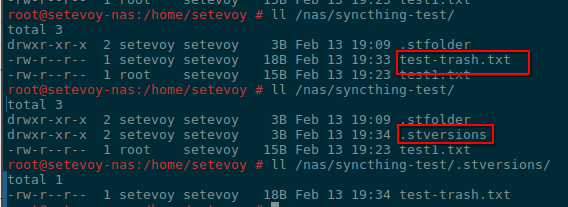
But it’s saved in .stversions/:
root@setevoy-nas:/home/setevoy # ll /nas/syncthing-test/.stversions/
total 1
-rw-r--r--  1 setevoy setevoy   18B Feb 13 19:34 test-trash.txt
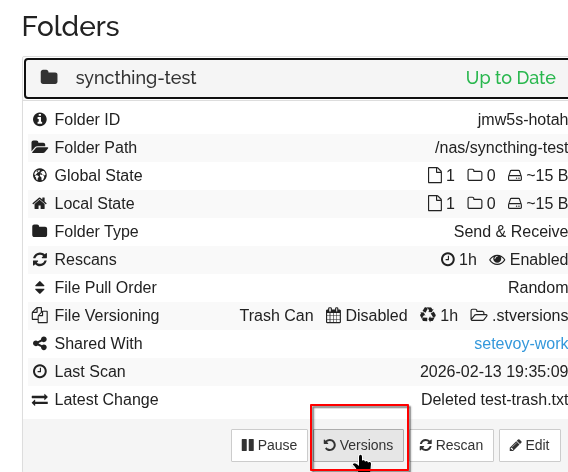
In addition, there’s now a Versions button in the Web UI:
Which shows deleted files that can be restored from here: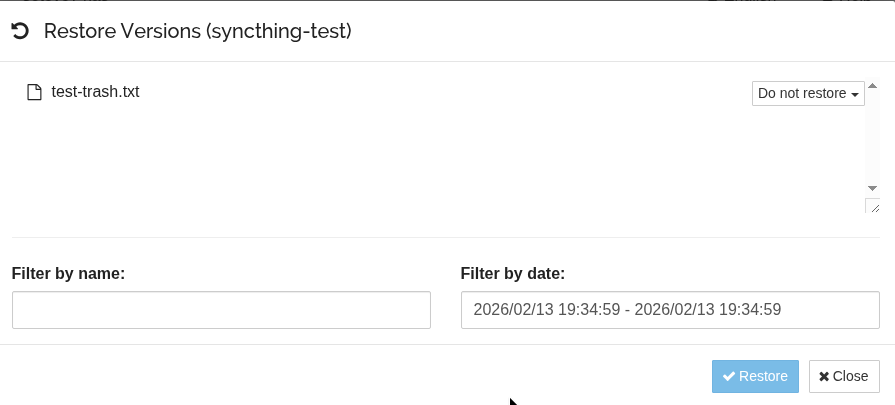
For the NAS I’ll most likely set up Trash for 30 days, and long-term backups will go through ZFS snapshots + copying to Google/Proton Drive and AWS S3.
Next steps
Now you can add Syncthing to autostart on the Linux client:
[setevoy@setevoy-work ~]  $ systemctl --user enable syncthing.service
Created symlink '/home/setevoy/.config/systemd/user/default.target.wants/syncthing.service' → '/usr/lib/systemd/user/syncthing.service'.
[setevoy@setevoy-work ~]  $ systemctl --user start syncthing.service
[setevoy@setevoy-work ~]  $ systemctl --user status syncthing.service
● syncthing.service - Syncthing - Open Source Continuous File Synchronization
     Loaded: loaded (/usr/lib/systemd/user/syncthing.service; enabled; preset: enabled)
     Active: active (running) since Fri 2026-02-13 19:41:17 EET; 3s ago
...
You can enable service startup without user login – useful for reboots, see loginctl:
[setevoy@setevoy-work ~] $ loginctl enable-linger setevoy
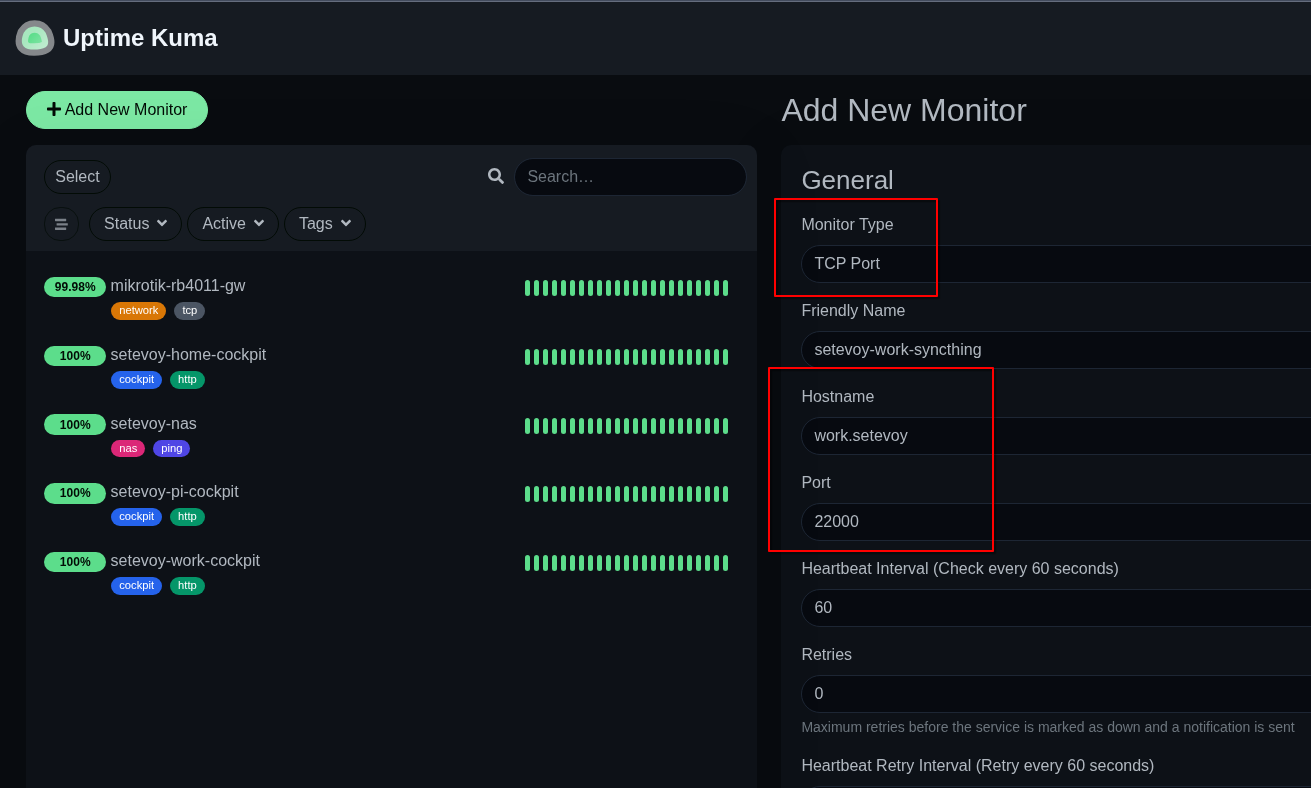
And add a basic check in Uptime Kuma (I’ll probably write about it separately too – my Kuma runs on a separate host for “mini-monitoring” on Raspberry Pi):
Syncthing also has Prometheus metrics, see Prometheus-Style Metrics – those can be added to VictoriaMetrics and used to create a Grafana dashboard and alerts.
And it’s worth setting up backups for the Syncthing config files:
[setevoy@setevoy-work ~]  $ ll ~/.local/state/syncthing
total 40
-rw-r--r-- 1 setevoy setevoy   623 Feb 13 19:14 cert.pem
-rw------- 1 setevoy setevoy 11236 Feb 13 20:15 config.xml
...
-rw------- 1 setevoy setevoy   119 Feb 13 19:14 key.pem
...
Next – read through and work on Configuration Tuning, set up Firewall Setup, and carefully re-read Security Principles.
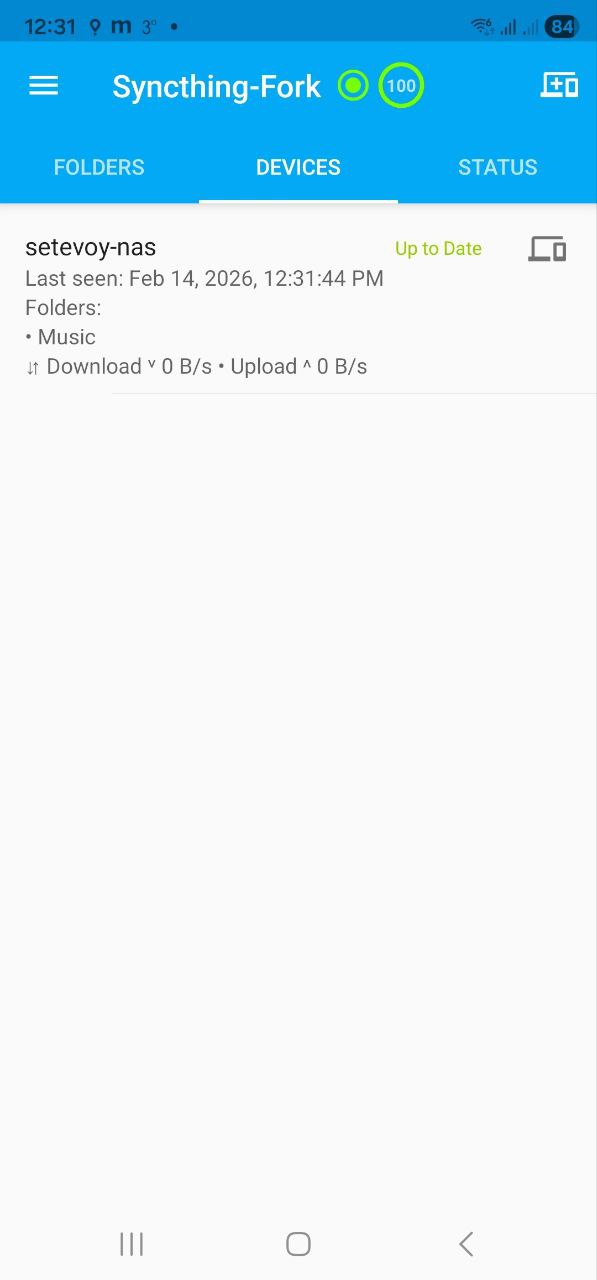
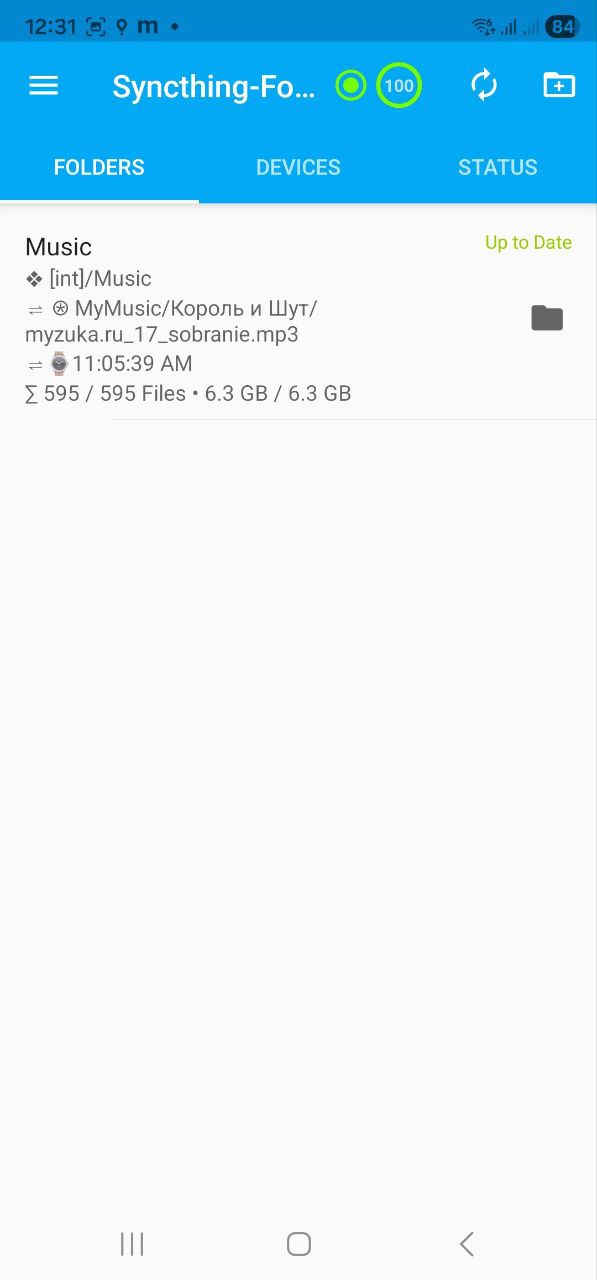
Finally – here’s what Syncthing looks like on a phone with Syncthing-Fork:
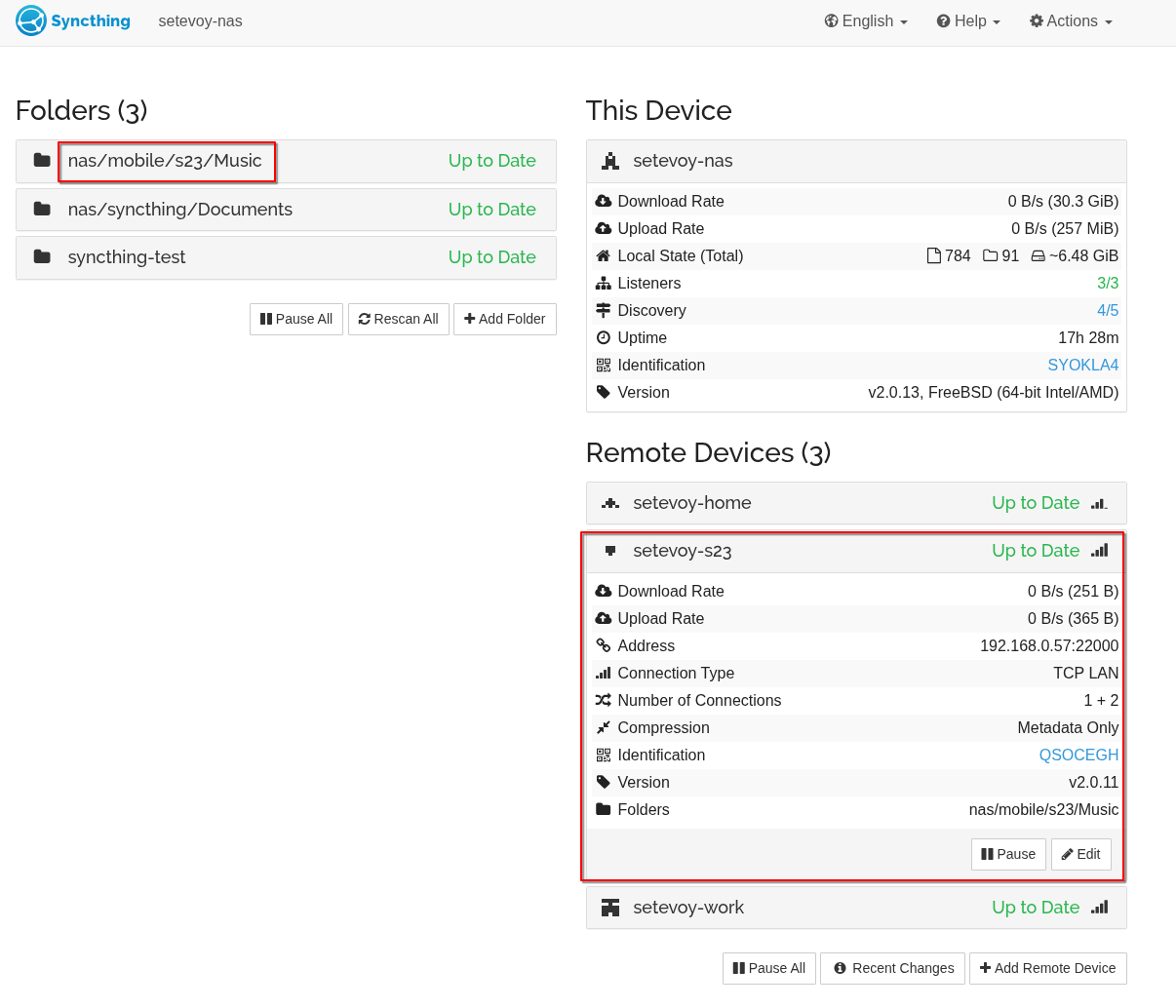
And the phone client in the FreeBSD dashboard:
Done.
