Click to rate this post!
[Total: 0 Average: 0]
 had to create a short demonstration video for Okta’s support, googled a tiny, quick and simple application – Kazam.
On Arch Linux can be install from AUR:
[simterm]
$ yaourt -S kazam
[/simterm]
Run it:
[simterm]
$ kazam
[/simterm]
I set the Automatic save by default (to the ~/Videos):
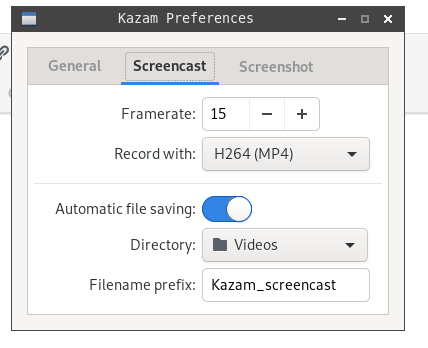
Now, chose an area to record from:

And the resulted video example:
Done.
