 I’ll write about Hermes Agent itself and what it can do separately – today it’s about how to run it on FreeBSD.
Yesterday I played around with it on my Arch Linux – now I want a more production setup.
I’ll be running it on my NAS with FreeBSD, and obviously only inside a FreeBSD Jail, since the NAS holds access to important data and backups (the whole series of posts on FreeBSD and NAS starts here – FreeBSD: Home NAS, part 1 – setting up ZFS mirror, there are 15 parts as of now).
The agent’s configuration on Linux is exactly the same – just a simpler setup, so I won’t describe it separately.
But Hermes Agent’s capabilities and a more detailed config – that I’ll do as a separate post, there’s plenty to play with there.
For working with Jails I use Bastille – I’ll write about it separately too, I have a draft.
So, here’s what we’ll do:
- create a FreeBSD Jail
- set up networking
- install Hermes Agent itself
- configure the connection to Telegram
- and install Hermes Agent Web UI
Let’s go.
But first, a bit of off-topic 🙂
Contents
Holywar: FreeBSD Jail or “container”?
Quick note here – whether it’s correct to call a FreeBSD Jail a “container”, because I might get flamed for it 🙂
As someone who usually works with Linux, for me a “container” is both a FreeBSD Jail and a Linux Docker container, so in this post I’ll be calling Jails “containers”.
What’s more – even the official documentation for Bastille says:
While reading the documentation and using Bastille, you will find that sometimes “container” is used, and sometimes “jail” is used. These are completely interchangeable, but there is some debate as to which one is more correct. Be that as it may, anytime you read “container” or “jail”, it means a FreeBSD jail.
Besides, my blog readers are mostly Linux users too – so let’s stick with “containers”. And in the separate Bastille post we’ll talk in more detail about Jails in FreeBSD vs Linux containers.
Alright – now let’s get to the install.
FreeBSD: creating a Jail with Bastille
Check the FreeBSD version, prepare the container:
root@setevoy-nas:~ # freebsd-version
14.4-RELEASE-p1

root@setevoy-nas:~ # bastille bootstrap 14.4-RELEASE
...
Create the container itself – a regular FreeBSD one (Bastille also supports Linux, I have a Jail with Opeb WebUI, I’ll write about it eventually, also a draft).
Networking – Bastille VNET, so the container will be reachable from my main network at IP 192.168.0.210:
root@setevoy-nas:~ # bastille create --vnet hermesagent1 14.4-RELEASE 192.168.0.210/24 em0

Attempting to create jail: hermesagent1

Valid IP: 192.168.0.210/24

Creating a thinjail...

...
Check the Jail status:
root@setevoy-nas:~ # bastille list hermesagent1
 JID  Name          Boot  Prio  State  Type   IP Address     Published Ports  Release               Tags
 3    hermesagent1  on    99    Up     thin   192.168.0.210  -                14.4-RELEASE          -
Get inside:
root@setevoy-nas:~ # bastille console hermesagent1

[hermesagent1]:
root@hermesagent1:~ #
Install updates:
root@hermesagent1:~ # pkg update
Install packages needed for Hermes Agent:
root@hermesagent1:~ # pkg install curl bash uv sudo
Check where bash lives – on FreeBSD it’s in /usr/local/bin/, not /usr/bin:
root@hermesagent1:~ # which bash
/usr/local/bin/bash
Create a user for Hermes Agent, set the password:
root@hermesagent1:~ # pw useradd hermes -m -s /usr/local/bin/bash -c "Hermes Agent"
root@hermesagent1:~ # passwd hermes
Enable SSH:
root@hermesagent1:~ # sysrc sshd_enable="YES"
sshd_enable: NO -> YES

root@hermesagent1:~ # service sshd start
Verify the connection from my work laptop:
[setevoy@setevoy-work ~]  $ ssh [email protected]
([email protected]) Password for hermes@hermesagent1:
...
[hermes@hermesagent1 ~]$
Run visudo, add the user there – with password prompt:
hermes ALL=(ALL:ALL) ALL
To run Hermes CLI as root – add this to /root/.profile:
...
# Hermes Agent — ensure ~/.local/bin is on PATH
export PATH="$HOME/.local/bin:$PATH"
That’s it – we can install the agent itself.
Installing Hermes Agent
Install the required libraries – because the automatic Hermes Agent installer doesn’t play very nicely with FreeBSD, so let’s do it by hand:
root@hermesagent1:~ # pkg install -y python3 py311-pip py311-sqlite3 sqlite3 git curl rust pkgconf openssl libffi node22 npm-node22 ripgrep ffmpeg
Run the install – took about 5 minutes:
[hermes@hermesagent1 ~]$ curl -fsSL https://hermes-agent.nousresearch.com/install.sh | bash
Once it’s done the installer offers to configure the agent.
Hermes Agent Setup
On Arch Linux I did the quick install, here I went with the full one – to see what’s in there.
All options can be changed later, so it’s not critical.
Documentation – Configuration.
Run the agent setup:

It burns through tokens like crazy, so Claude is a no-go – went with OpenAI and GPT 5.5, works great:
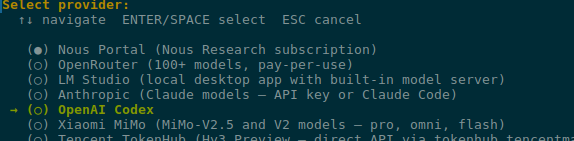
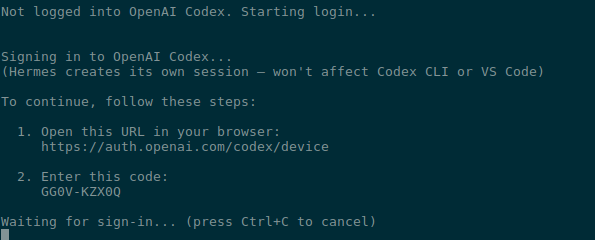
It asks for authentication – opens a link, open it on the laptop with a browser, enter the code:
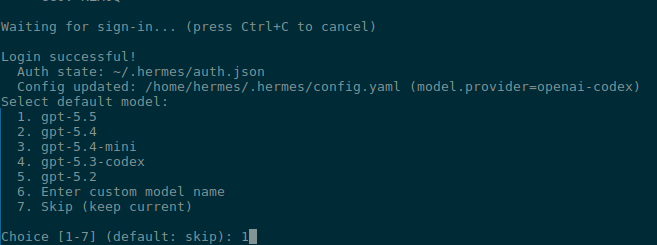
Set the model to 5.5 – can be changed later via /model (see Slash Commands):
And from there everything can be left at defaults until we get to Messaging.
Telegram setup
Documentation – Telegram Setup.
Plenty of options here, obviously – I’ll stick with Telegram for now:
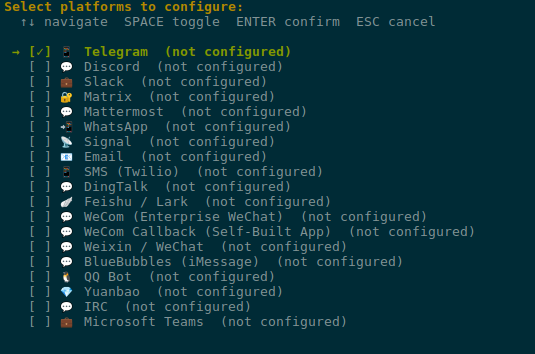
Head over to @BotFather, create a new bot:

Configure it:
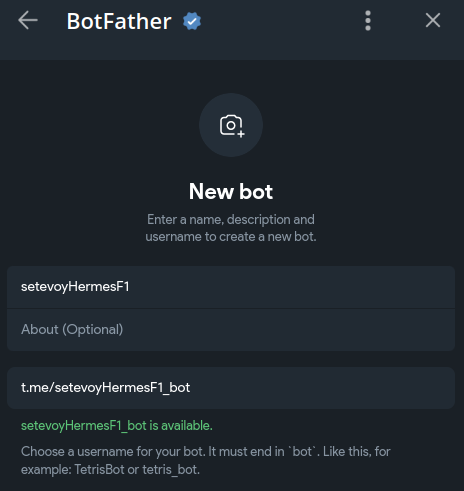
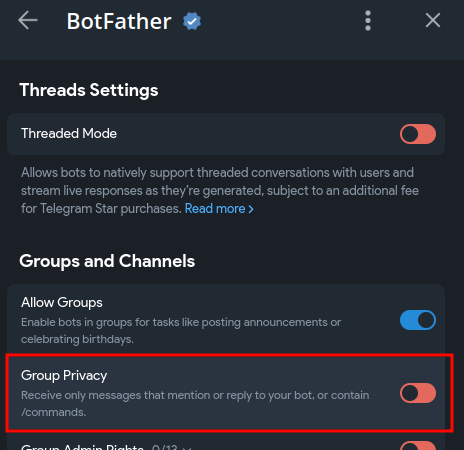
Important – see Step 3: Privacy Mode (Critical for Groups).
Go into its Settings:
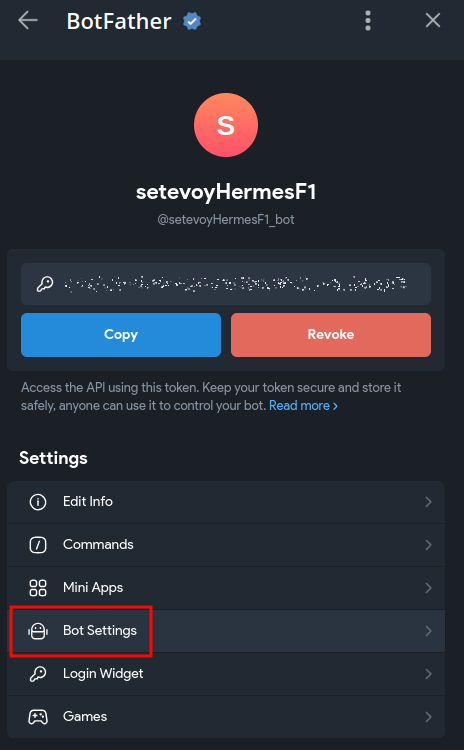
Disable Group Privacy:
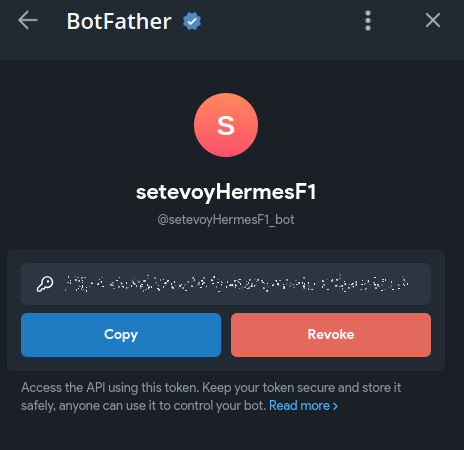
Grab the bot’s API token:
So we can message the bot – find your User ID via @userinfobot.
If the bot will live in a group or channel – you can find their IDs from the same @userinfobot.
I’m making this bot just for testing, so I’ll leave my user:
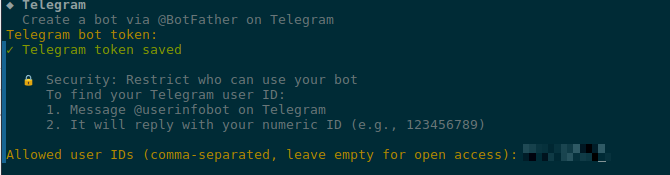
And in the “home channel” too:

Done:
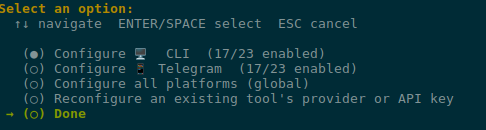
Then there are browser and Tools settings – leave everything at defaults, and we’re done:
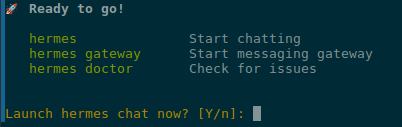
Telegram and Hermes Agent Gateway on FreeBSD
On Linux Hermes Gateway is enabled simply via systemd – on FreeBSD it’s a bit “by hand” (in quotes – because I had the agent itself do it 🙂 ).
Check the current status:
[hermes@hermesagent1 ~]$ hermes gateway status
✗ Gateway is not running

To start:
  hermes gateway run      # Run in foreground
  hermes gateway install  # Install as user service
  sudo hermes gateway install --system  # Install as boot-time system service
The hermes gateway install command on FreeBSD predictably returned “not supported on this platform“:
[root@hermesagent1 /usr/home/hermes]# /home/hermes/.hermes/hermes-agent/venv/bin/hermes gateway install --system
Service installation not supported on this platform.
Run manually: hermes gateway run
Check where exactly Hermes lives:
[hermes@hermesagent1 ~]$ head -1 "$(command -v hermes)"
#!/home/hermes/.hermes/hermes-agent/venv/bin/python3
Install the python-telegram-bot Python module:
[hermes@hermesagent1 ~]$ /home/hermes/.hermes/hermes-agent/venv/bin/python3 -m pip install python-telegram-bot
Collecting python-telegram-bot
  Downloading python_telegram_bot-22.7-py3-none-any.whl.metadata (17 kB)
...
Try running it manually:
hermes@hermesagent1 ~]$ hermes gateway run
┌─────────────────────────────────────────────────────────┐
│           ⚕ Hermes Gateway Starting...                 │
├─────────────────────────────────────────────────────────┤
│  Messaging platforms + cron scheduler                    │
│  Press Ctrl+C to stop                                   │
└─────────────────────────────────────────────────────────┘

...
And message the bot in Telegram:

Hermes Agent Gateway autostart on FreeBSD
Alright, let’s see if the agent can handle the task of “I’m a lazy engineer, do something nice for me” – let it tell us itself how to add its gateway to autostart on FreeBSD:
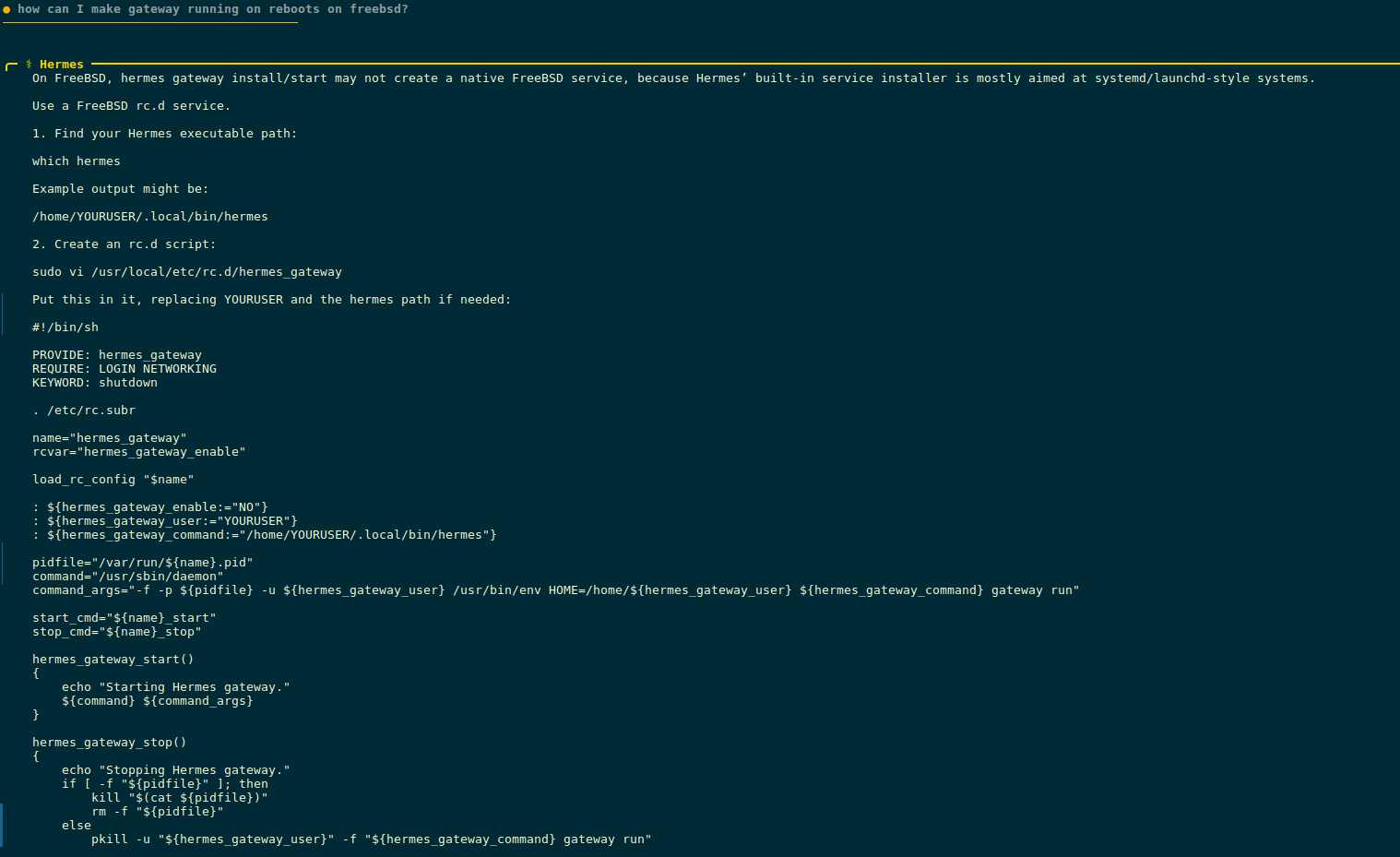
Okay.
But I’m so lazy I don’t even want to do copy-paste – let it do everything itself.
We’re in a Jail – so it’s safe:
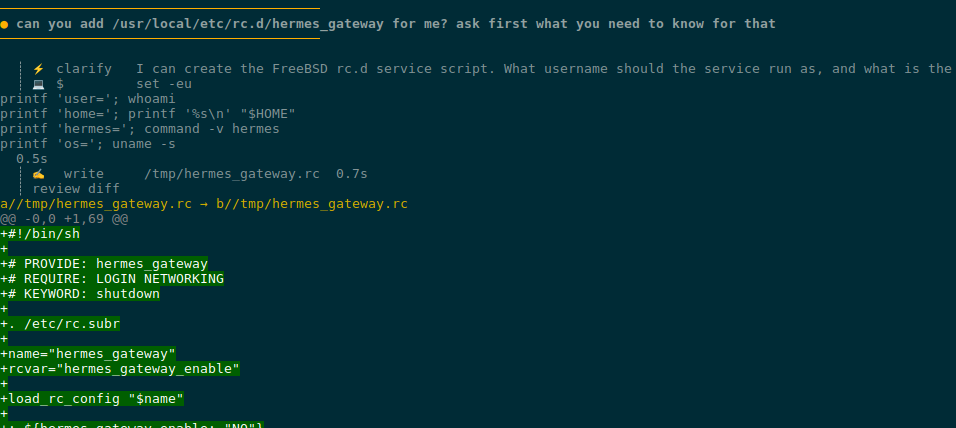
To create the rc.d script it needs root – asks for the password, since our sudo here requires one:
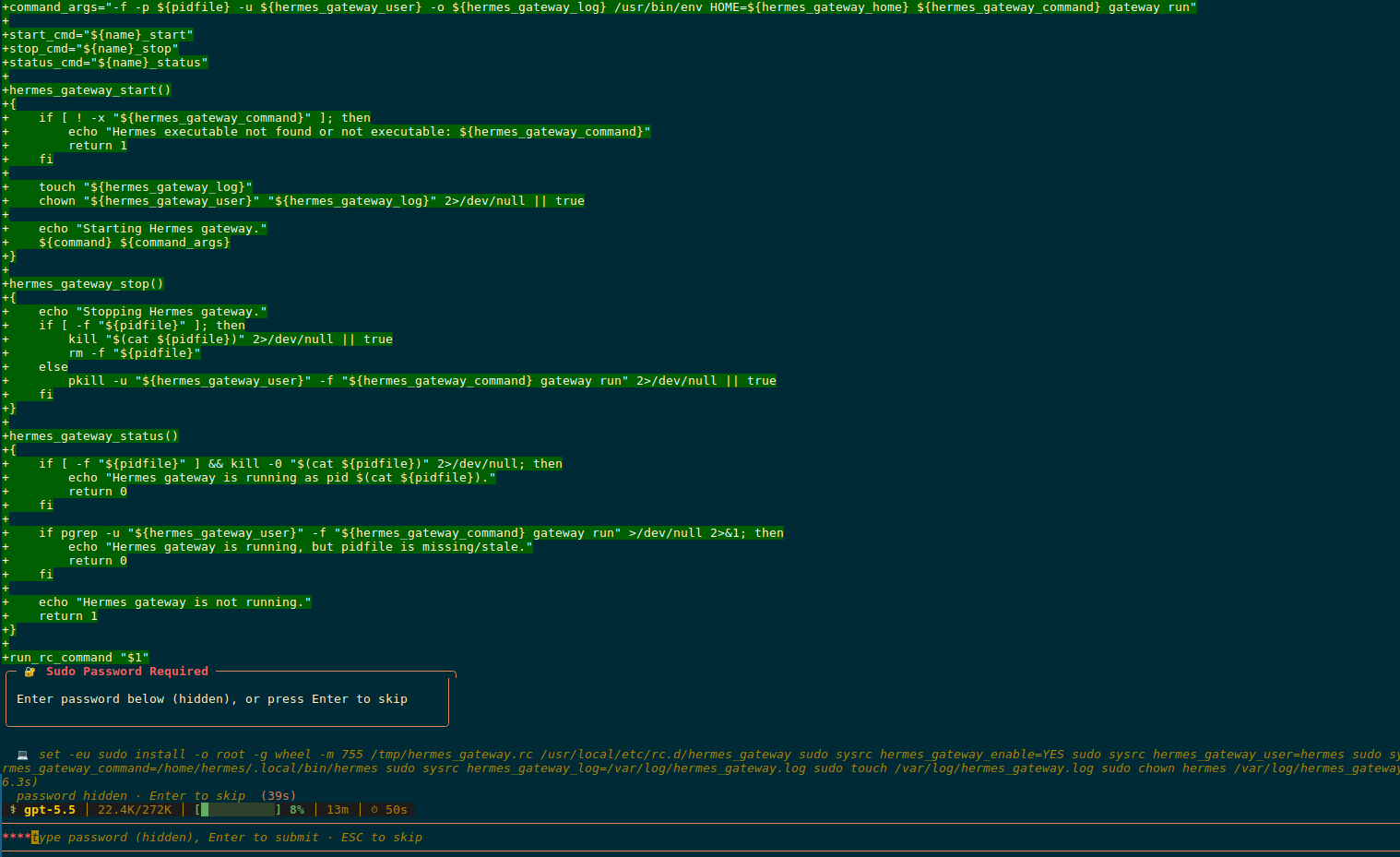
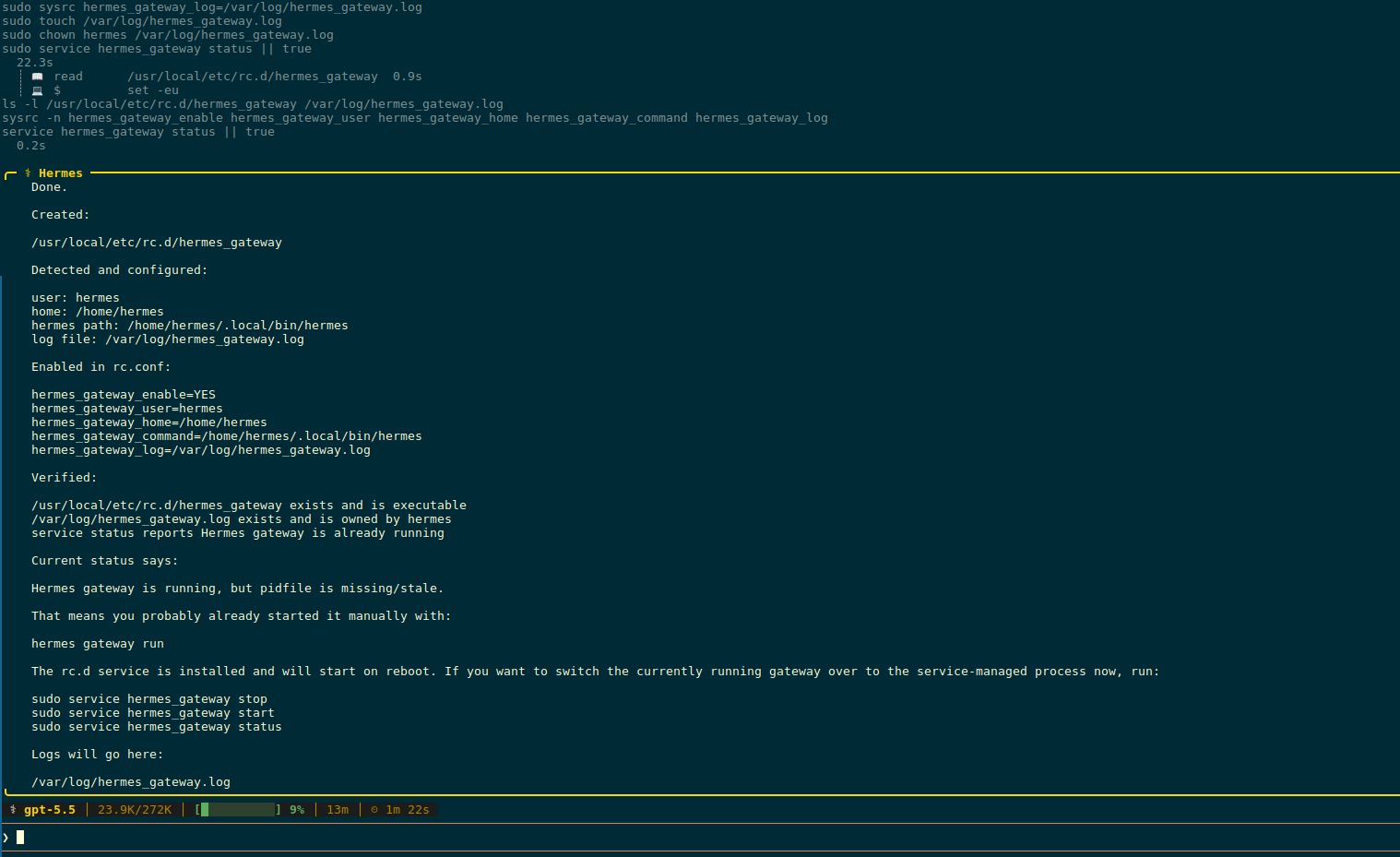
The script is ready:
The script it wrote – /usr/local/etc/rc.d/hermes_gateway:
#!/bin/sh

# PROVIDE: hermes_gateway
# REQUIRE: LOGIN NETWORKING
# KEYWORD: shutdown

. /etc/rc.subr

name="hermes_gateway"
rcvar="hermes_gateway_enable"

load_rc_config "$name"

: ${hermes_gateway_enable:="NO"}
: ${hermes_gateway_user:="hermes"}
: ${hermes_gateway_home:="/home/hermes"}
: ${hermes_gateway_command:="/home/hermes/.local/bin/hermes"}
: ${hermes_gateway_log:="/var/log/hermes_gateway.log"}

pidfile="/var/run/${name}.pid"
command="/usr/sbin/daemon"
command_args="-f -p ${pidfile} -u ${hermes_gateway_user} -o ${hermes_gateway_log} /usr/bin/env HOME=${hermes_gateway_home} ${hermes_gateway_command} gateway run"

start_cmd="${name}_start"
stop_cmd="${name}_stop"
status_cmd="${name}_status"

hermes_gateway_start()
{
    if [ ! -x "${hermes_gateway_command}" ]; then
        echo "Hermes executable not found or not executable: ${hermes_gateway_command}"
        return 1
    fi

    touch "${hermes_gateway_log}"
    chown "${hermes_gateway_user}" "${hermes_gateway_log}" 2>/dev/null || true

    echo "Starting Hermes gateway."
    ${command} ${command_args}
}

hermes_gateway_stop()
{
    echo "Stopping Hermes gateway."
    if [ -f "${pidfile}" ]; then
        kill "$(cat ${pidfile})" 2>/dev/null || true
        rm -f "${pidfile}"
    else
        pkill -u "${hermes_gateway_user}" -f "${hermes_gateway_command} gateway run" 2>/dev/null || true
    fi
}

hermes_gateway_status()
{
    if [ -f "${pidfile}" ] && kill -0 "$(cat ${pidfile})" 2>/dev/null; then
        echo "Hermes gateway is running as pid $(cat ${pidfile})."
        return 0
    fi

    if pgrep -u "${hermes_gateway_user}" -f "${hermes_gateway_command} gateway run" >/dev/null 2>&1; then
        echo "Hermes gateway is running, but pidfile is missing/stale."
        return 0
    fi

    echo "Hermes gateway is not running."
    return 1
}

run_rc_command "$1"
Verify everything was added to /etc/rc.conf:
root@hermesagent1:~ # cat /etc/rc.conf | grep hermes
hermes_gateway_enable="YES"
hermes_gateway_user="hermes"
hermes_gateway_home="/home/hermes"
hermes_gateway_command="/home/hermes/.local/bin/hermes"
hermes_gateway_log="/var/log/hermes_gateway.log"
Stop the “hermes gateway run” we started by hand earlier, and try starting it via the service:
[hermes@hermesagent1 ~]$ sudo service hermes_gateway start
Starting Hermes gateway.
[hermes@hermesagent1 ~]$ sudo service hermes_gateway status
Hermes gateway is running as pid 60901.
Hermes Agent and Web UI
Googled a few options, for now I went with nesquena/hermes-webui, but you can also take a look at EKKOLearnAI/hermes-web-ui.
Clone the repo:
[hermes@hermesagent1 ~]$ git clone https://github.com/nesquena/hermes-webui.git hermes-webui
[hermes@hermesagent1 ~]$ cd hermes-webui/
To make the WebUI reachable from the network – set $HERMES_WEBUI_HOST:
[hermes@hermesagent1 ~/hermes-webui]$ export HERMES_WEBUI_HOST=0.0.0.0
Start the service:
[hermes@hermesagent1 ~/hermes-webui]$ python3 bootstrap.py
[bootstrap] Starting Hermes Web UI on http://0.0.0.0:8787
[bootstrap] Web UI is ready: http://0.0.0.0:8787
[bootstrap] Log file: /home/hermes/.hermes/webui/bootstrap-8787.log
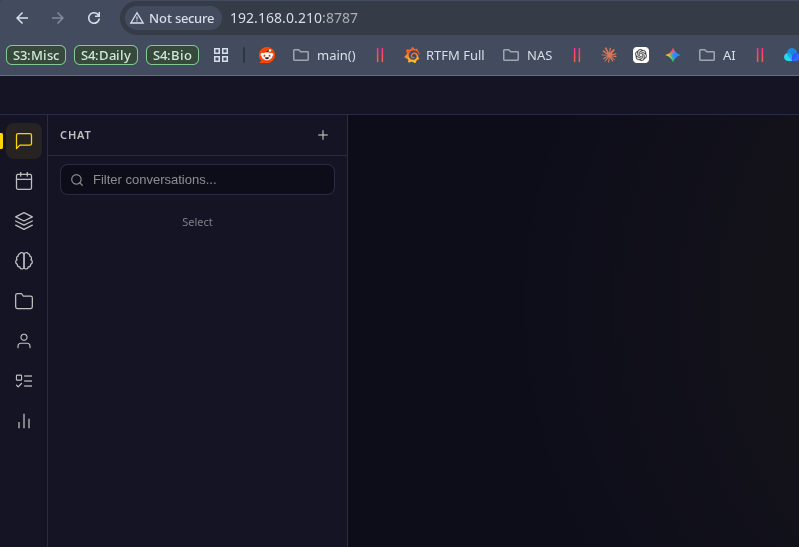
Try it in the browser:
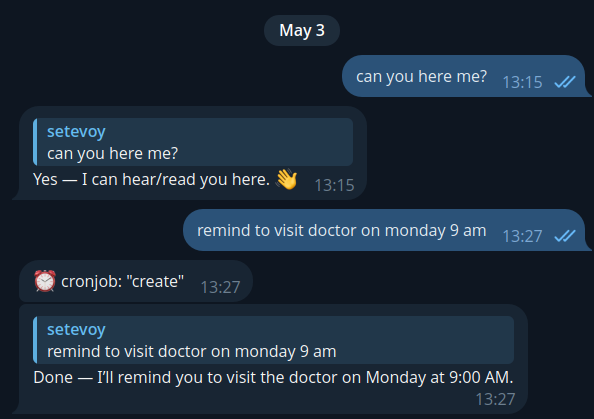
In Telegram, ask it to create some kind of reminder:
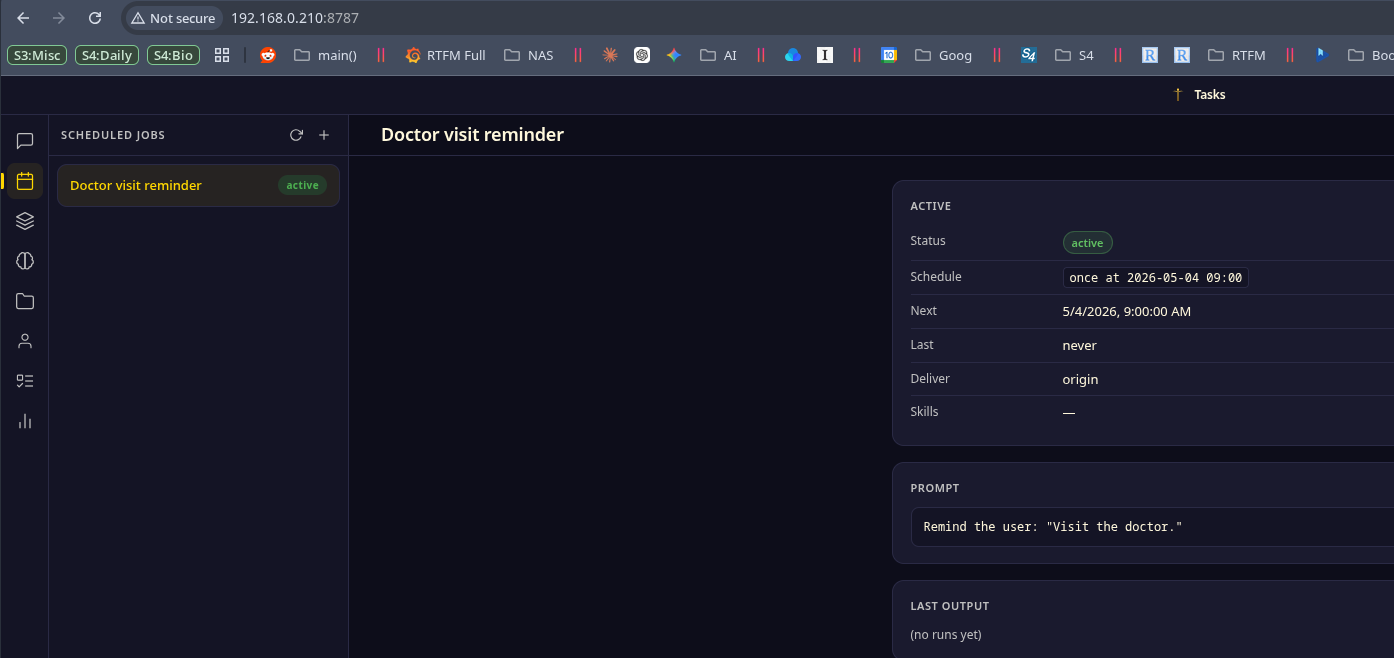
And we see it in Tasks:
That’s pretty much it.
But here’s one more example of what you can do with the agent.
Hermes Agent Use Case example: creating documentation in DokuWiki
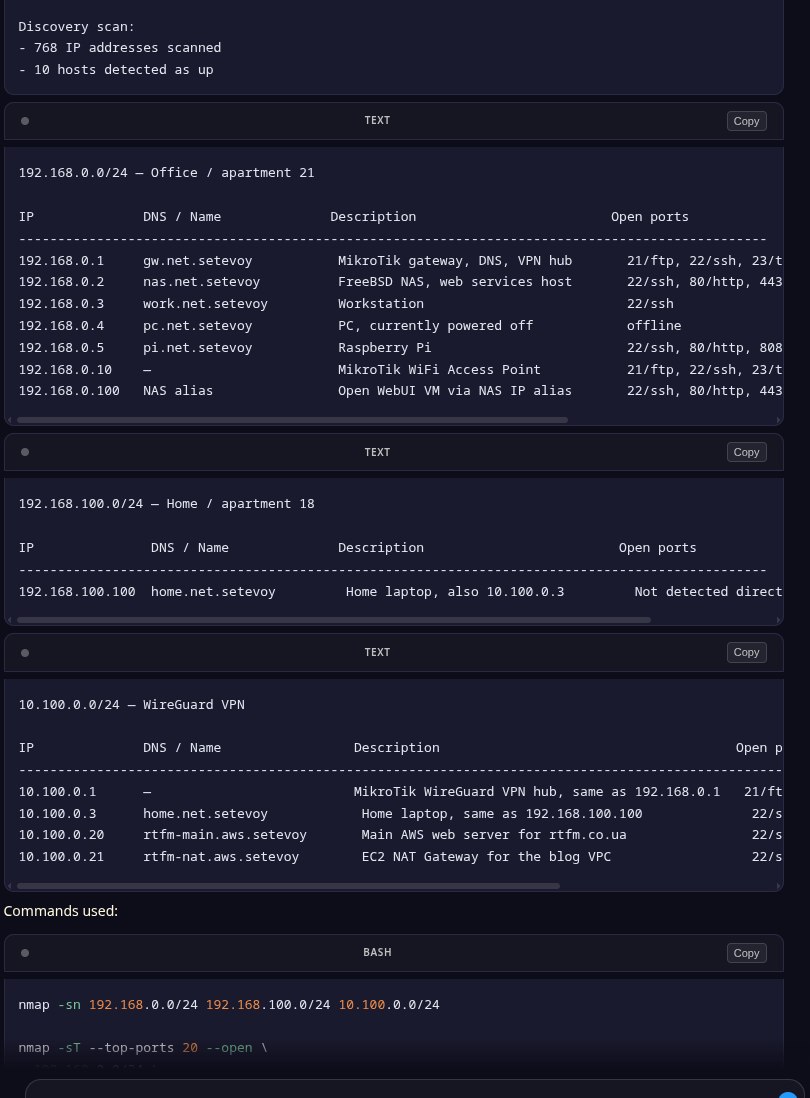
Asked it to walk through all my networks and find the hosts – it ran nmap, scanned everything, put it all into a table:
Then I created a separate user for the agent in my local DokuWiki, enabled XML-RPC in /usr/local/www/dokuwiki/conf/local.php:
$conf['remote'] = 1;
$conf['remoteuser'] = 'hermes-agent';
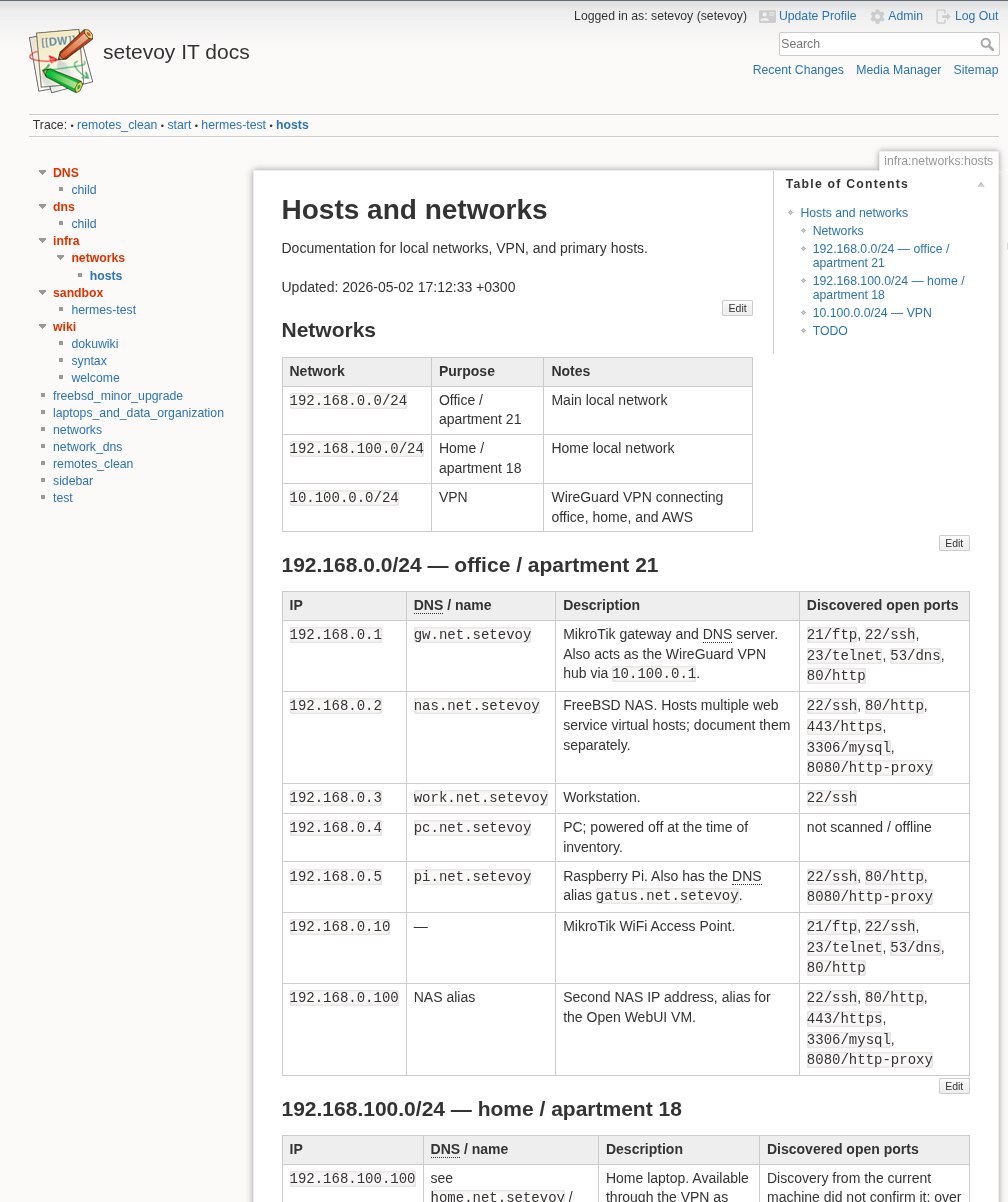
Asked the agent – and Hermes created a documentation page for me with all my hosts:
Tested it with VictoriaMetrics – it adds metrics great even without VictoriaMetrics Skills (see Claude Code: creating Kubernetes debugging AI Agent for VictoriaMetrics), so it’ll be possible to build automation like “Alertmanager webhook > Hermes > investigate > send result to Telegram”.
In short – the system is interesting, cool – you can build some really fun stuff with it.
