 Устанавливаться система будет на:
# cat /etc/redhat-release

CentOS release 6.4 (Final)
Устанавливаем необходимые пакеты:
# yum -y install git python-devel mod_wsgi mod_python python-sqlite2 bitmap pycairo python-zope-interface python-simplejson django-tagging python-twisted-web bitmap-fonts gcc-c++ openssl-devel make
Отключаем SELinux — CentOS: отключение SELinux, что бы избежать ошибки CentOS: mod_wsgi Permission denied — Couldn’t bind unix domain socket.
Качаем необходимые для работы Graphite пакеты:
# mkdir temp
# cd temp/
# git clone https://github.com/graphite-project/graphite-web.git
# git clone https://github.com/graphite-project/carbon.git
# git clone https://github.com/graphite-project/whisper.git
# cd graphite-web && git checkout 0.9.x && cd ../
# cd carbon && git checkout 0.9.x && cd ../
# cd whisper && git checkout 0.9.x && cd ../
Устанавливаем Whisper:
# cd whisper && python setup.py install && cd ../
Устанавливаем Carbon:
# cd carbon/ && python setup.py install
Создаём файлы конфигурации Carbon:
# cd /opt/graphite/conf
# cp carbon.conf.example carbon.conf
# cp storage-schemas.conf.example storage-schemas.conf
Следующие файлы копируются из каталога /home/setevoy/temp (оттуда, куда вы загружали с Git-a исходные файлы), если их нет в /opt/graphite/conf:
# cp ~/temp/graphTemplates.conf.example graphTemplates.conf
# cp ~/temp/graphite.wsgi.example graphite.wsgi
Пока запустим с настройками по-умолчанию, настроить можно позже.
Настраиваем веб-интерфейс:
# cd ~/temp/graphite-web
Проверяем зависимости:
# python check-dependencies.py
[WARNING]
Unable to import the 'memcache' module, do you have python-memcached installed for python 2.6.6?
This feature is not required but greatly improves performance.

[WARNING]
Unable to import the 'txamqp' module, this is required if you want to use AMQP.
Note that txamqp requires python 2.5 or greater.
All necessary dependencies are met.
2 optional dependencies not met. Please consider the warning messages before proceeding.
Устанавливаем необходимое:
# yum -y install python-memcached python-txamqp
Если пакета python-txamqp нет — подключите репозитории: CentOS/RedHat: установка репозиториев Elrepo и Epel и CentOS: установка репозитория RPMforge.
Проверяем повторно:
# python check-dependencies.py
All necessary dependencies are met.
All optional dependencies are met.
Устанавливаем:
# python setup.py install
Начинаем настройку Apache.
Устанавливаем владельца (в CentOS Apache работает под пользователем apache, в Debian/Ubuntu — www-data, FreeBSD — www):
# chown -R apache:apache /opt/graphite/storage
Настраиваем виртуалхост для нашего Graphite. Подробнее о виртуалхостах — Apache: примеры создания VirtualHost, Ubuntu: настройка VirtualHost в Apache.
Пример можно взять из файла ~/temp/graphite-web/examples/example-graphite-vhost.conf:
# cat ~/temp/graphite-web/examples/example-graphite-vhost.conf

# This needs to be in your server's config somewhere, probably
# the main httpd.conf
# NameVirtualHost *:80

# This line also needs to be in your server's config.
# LoadModule wsgi_module modules/mod_wsgi.so

# You need to manually edit this file to fit your needs.
# This configuration assumes the default installation prefix
# of /opt/graphite/, if you installed graphite somewhere else
# you will need to change all the occurances of /opt/graphite/
# in this file to your chosen install location.

<IfModule !wsgi_module.c>
LoadModule wsgi_module modules/mod_wsgi.so
</IfModule>

# XXX You need to set this up!
# Read http://code.google.com/p/modwsgi/wiki/ConfigurationDirectives#WSGISocketPrefix
WSGISocketPrefix run/wsgi

<VirtualHost *:80>
ServerName graphite
DocumentRoot "/opt/graphite/webapp"
ErrorLog /opt/graphite/storage/log/webapp/error.log
CustomLog /opt/graphite/storage/log/webapp/access.log common

# I've found that an equal number of processes & threads tends
# to show the best performance for Graphite (ymmv).
WSGIDaemonProcess graphite processes=5 threads=5 display-name='%{GROUP}' inactivity-timeout=120
WSGIProcessGroup graphite
WSGIApplicationGroup %{GLOBAL}
WSGIImportScript /opt/graphite/conf/graphite.wsgi process-group=graphite application-group=%{GLOBAL}

# XXX You will need to create this file! There is a graphite.wsgi.example
# file in this directory that you can safely use, just copy it to graphite.wgsi
WSGIScriptAlias / /opt/graphite/conf/graphite.wsgi

Alias /content/ /opt/graphite/webapp/content/
<Location "/content/">
SetHandler None
</Location>

# XXX In order for the django admin site media to work you
# must change @DJANGO_ROOT@ to be the path to your django
# installation, which is probably something like:
# /usr/lib/python2.6/site-packages/django
Alias /media/ "@DJANGO_ROOT@/contrib/admin/media/"
<Location "/media/">
SetHandler None
</Location>

# The graphite.wsgi file has to be accessible by apache. It won't
# be visible to clients because of the DocumentRoot though.
<Directory /opt/graphite/conf/>
Order deny,allow
Allow from all
</Directory>

</VirtualHost>
Редактируем файл /etc/httpd/conf/httpd.conf. Можно либо включить конфигурацию VirtualHost-a прямо в httpd.conf, либо — вынести в отдельный файл, роли не играет.
Настройки, приведённые в файле-примере ~/temp/graphite-web/examples/example-graphite-vhost.conf уже вполне рабочие. Можно изменить WSGISocketPrefix run/wsgi:
# cat /etc/httpd/conf/httpd.conf | grep WSGISocketPrefix
# Read http://code.google.com/p/modwsgi/wiki/ConfigurationDirectives#WSGISocketPrefix
WSGISocketPrefix /var/run/wsgi
Остальные параметры по-умолчанию.
Проверяем корректность конфигурации:
# httpd -t
Syntax OK
Перезапускаем Apache:
# apachectl restart
На всякий случай сразу посмотрим файл лога ошибок:
# tail -f /var/log/httpd/error_log
Выше уже упоминалось об ошибке CentOS: mod_wsgi Permission denied — Couldn’t bind unix domain socket.
Создаём базу, таблицы, администратора и пароль:
# cd /opt/graphite/webapp/graphite

# python manage.py syncdb
Could not import graphite.local_settings, using defaults!
/opt/graphite/webapp/graphite/settings.py:231: UserWarning: SECRET_KEY is set to an unsafe default. This should be set in local_settings.py for better security
warn('SECRET_KEY is set to an unsafe default. This should be set in local_settings.py for better security')
/usr/lib/python2.6/site-packages/django/conf/__init__.py:75: DeprecationWarning: The ADMIN_MEDIA_PREFIX setting has been removed; use STATIC_URL instead.
"use STATIC_URL instead.", DeprecationWarning)
/usr/lib/python2.6/site-packages/django/core/cache/__init__.py:82: DeprecationWarning: settings.CACHE_* is deprecated; use settings.CACHES instead.
DeprecationWarning
Creating tables ...
Creating table account_profile
Creating table account_variable
Creating table account_view
Creating table account_window
Creating table account_mygraph
Creating table dashboard_dashboard_owners
Creating table dashboard_dashboard
Creating table events_event
Creating table auth_permission
Creating table auth_group_permissions
Creating table auth_group
Creating table auth_user_user_permissions
Creating table auth_user_groups
Creating table auth_user
Creating table django_session
Creating table django_admin_log
Creating table django_content_type
Creating table tagging_tag
Creating table tagging_taggeditemYou just installed Django's auth system, which means you don't have any superusers defined.
Would you like to create one now? (yes/no): yes
Username (leave blank to use 'root'):
E-mail address: [email protected]
Password:
Password (again):
Superuser created successfully.
Installing custom SQL ...
Installing indexes ...
Installed 0 object(s) from 0 fixture(s)"
А теперь с этим всем на борту — попробуем взлтететь» (с). Запускаем:
# cd /opt/graphite/
# ./bin/carbon-cache.py start
Starting carbon-cache (instance a)
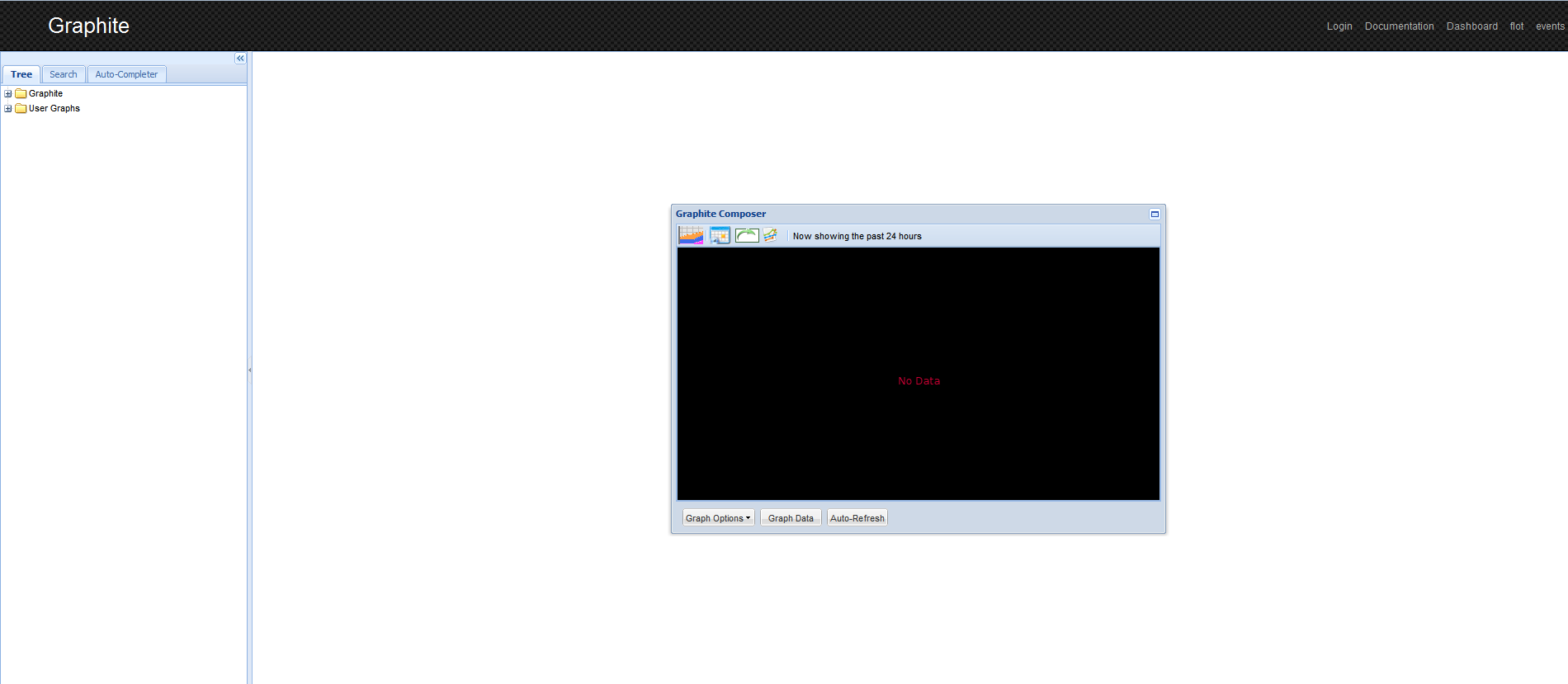
Заходим на страницу, и смотрим на пустые (пока) графики:
В случае проблем — смотрим логи:
# tail -f /opt/graphite/storage/log/webapp/error.log
# tail -f /var/log/httpd/error_log
Carbon слушает порт 7002, если не настроено другое:
# netstat -anp | grep 7002
tcp        0      0 0.0.0.0:7002                0.0.0.0:*                   LISTEN      25001/python
tcp        0      0 127.0.0.1:35712             127.0.0.1:7002              TIME_WAIT   -
tcp        0      0 127.0.0.1:35732             127.0.0.1:7002              ESTABLISHED 24971/(wsgi
tcp        0      0 127.0.0.1:7002              127.0.0.1:35732             ESTABLISHED 25001/python
tcp        0      0 127.0.0.1:35733             127.0.0.1:7002              ESTABLISHED 25019/(wsgi
tcp        0      0 127.0.0.1:7002              127.0.0.1:35733             ESTABLISHED 25001/python
# ps aux | grep 25001
root     25001  0.1  0.4  28320  8660 ?        Sl   06:29   0:00 /usr/bin/python ./bin/carbon-cache.py start
Добавляем в автозагрузку при старте сервера. В файл /etc/rc.local вставляем строку:
/opt/graphite/bin/carbon-cache.py start
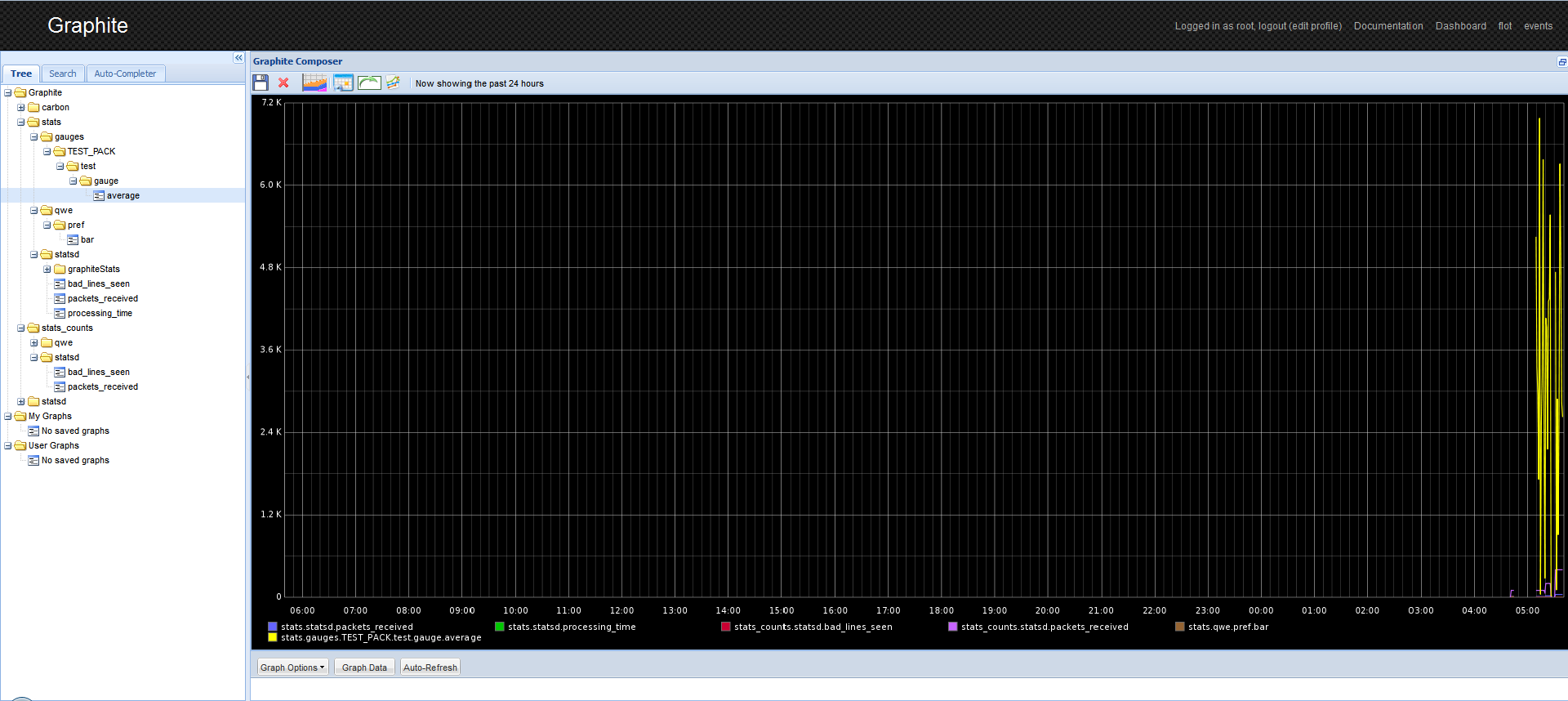
Вот так выглядит Graphite, уже собравший данные:
Ссылки по теме:
http://graphite.wikidot.com
http://www.ezunix.org
