 Настройка выполняется на Nagios, установка которого описана в посте Nagios: установка на Ubuntu 14 + NGINX + PHP-FPM + FastCGI.
Создаем Webhook.
Переходим на страницу https://slack.com/apps:
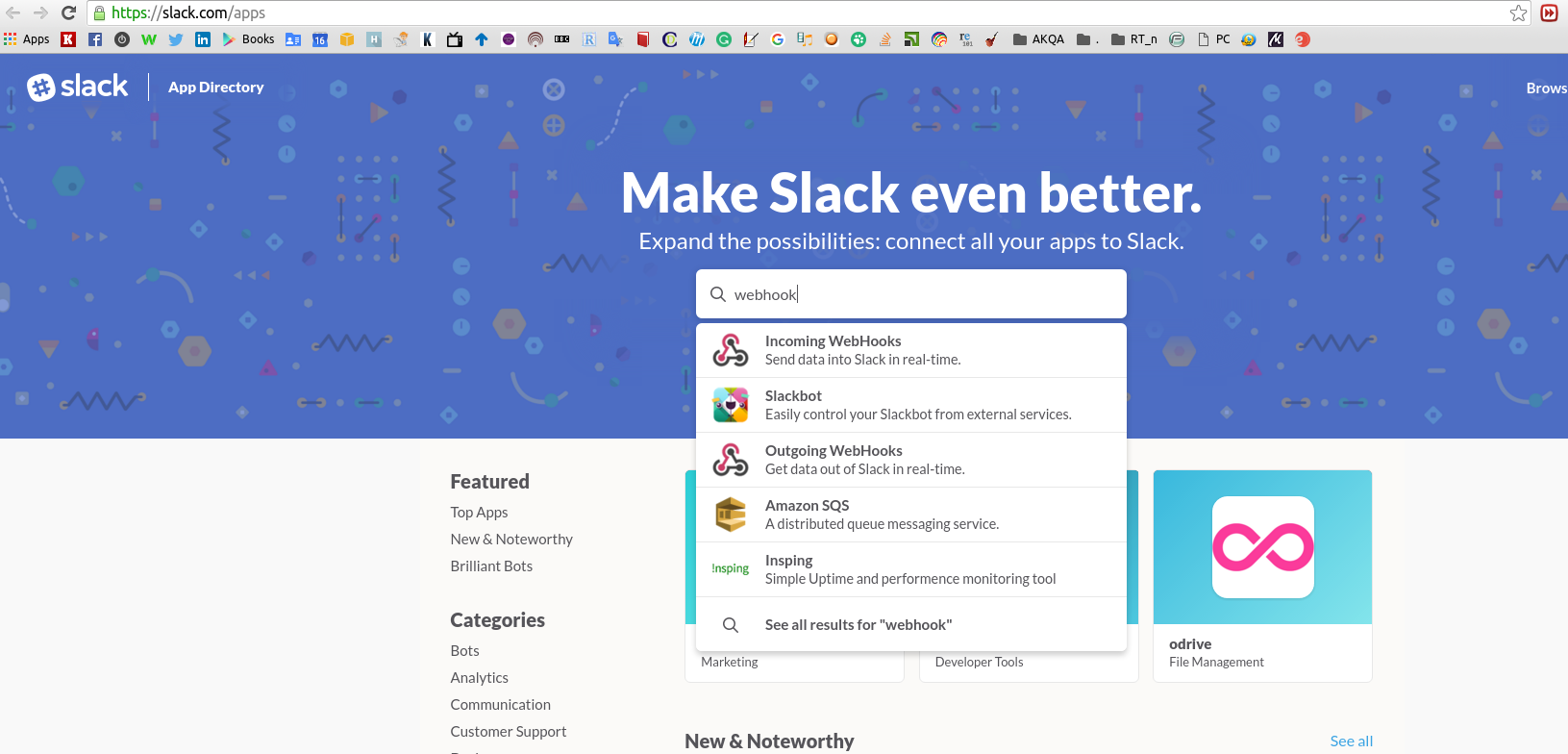
Выбираем чат, к которому хотим подключить уведомления:
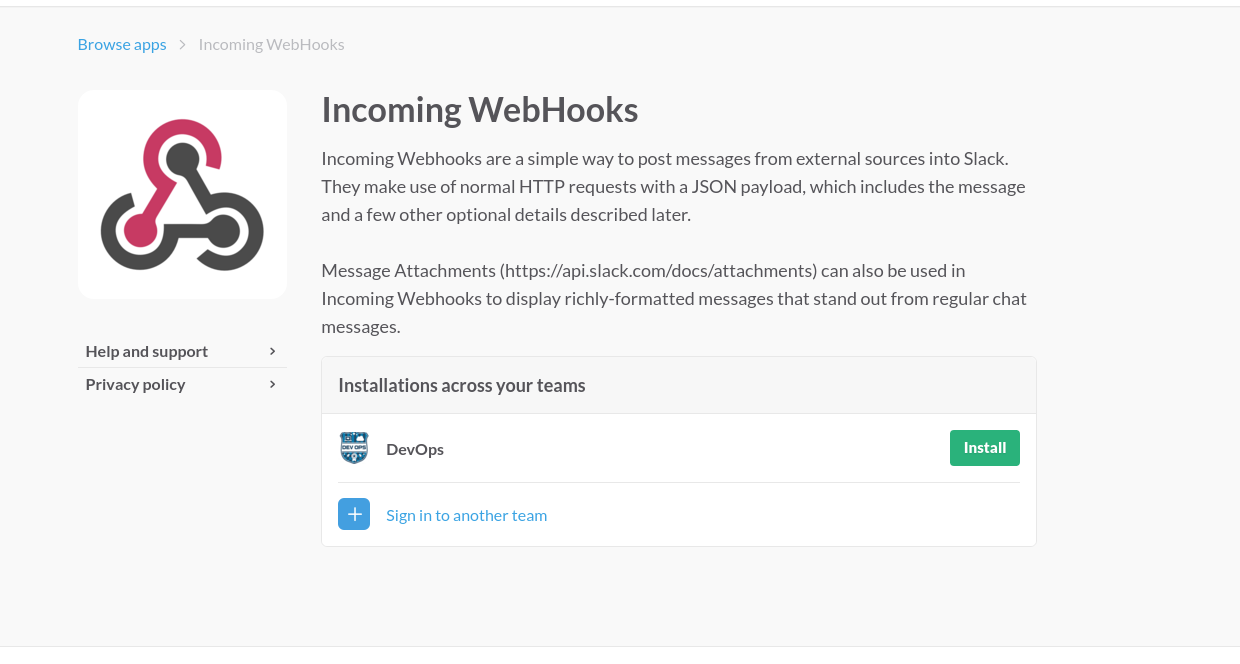
Указываем канал:

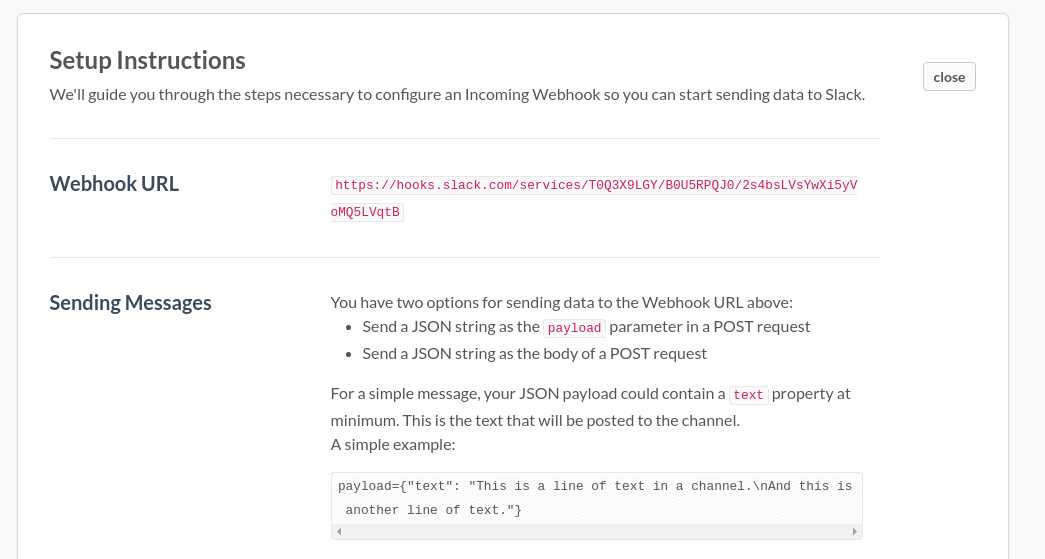
На последней странице — примеры, подсказки и нужный URL:
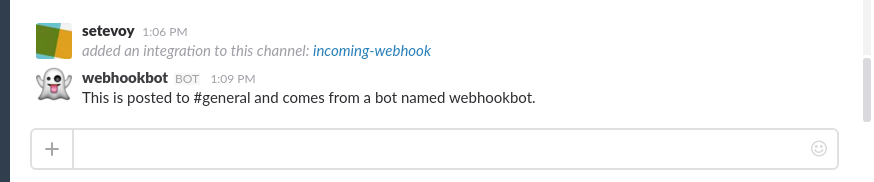
Запускаем с Nagios-сервера вручную, для проверки:
# curl -X POST --data-urlencode 'payload={"channel": "#general", "username": "webhookbot", "text": "This is posted to #general and comes from a bot named webhookbot.", "icon_emoji": ":ghost:"}' https://hooks.slack.com/services/T0Q3X9LGY/B0U5RPQJ0/2s4***qtB
Для того, что бы Nagios передавал переменные — редактируем файл /usr/local/nagios/etc/nagios.cfg и устанавливаем параметр enable_environment_macros=1:
...
enable_environment_macros=1
...
Создаем скрипт /usr/local/bin/nagios_slack с таким содержимым:
#!/bin/bash

# This script is used by Nagios to post alerts into a Slack channel
# using the Incoming WebHooks integration. Create the channel, botname
# and integration first and then add this notification script in your
# Nagios configuration.
#
# All variables that start with NAGIOS_ are provided by Nagios as
# environment variables when an notification is generated.
# A list of the env variables is available here:
#   http://nagios.sourceforge.net/docs/3_0/macrolist.html
#
# More info on Slack
# Website: https://slack.com/
# Twitter: @slackhq, @slackapi
#
# My info
# Website: matthewmcmillan.blogspot.com
# Twitter: @matthewmcmillan

#Modify these variables for your environment
MY_NAGIOS_HOSTNAME="nagios.local"

SLACK_HOSTNAME="teamname.slack.com"
SLACK_URL="https://hooks.slack.com/services/T0Q3X9LGY/B0U5RPQJ0/2s4***qtB"
SLACK_CHANNEL="#general"
SLACK_BOTNAME="nagios"

#Set the message icon based on Nagios service state
if [ "$NAGIOS_SERVICESTATE" = "CRITICAL" ]
then
    ICON=":exclamation:"
elif [ "$NAGIOS_SERVICESTATE" = "WARNING" ]
then
    ICON=":warning:"
elif [ "$NAGIOS_SERVICESTATE" = "OK" ]
then
    ICON=":white_check_mark:"
elif [ "$NAGIOS_SERVICESTATE" = "UNKNOWN" ]
then
    ICON=":question:"
else
    ICON=":white_medium_square:"
fi

curl -X POST --data "payload={\"channel\": \"${SLACK_CHANNEL}\", \"username\": \"${SLACK_BOTNAME}\", \"text\": \"${ICON} HOST: ${NAGIOS_HOSTNAME}   SERVICE: ${NAGIOS_SERVICEDISPLAYNAME}     MESSAGE: ${NAGIOS_SERVICEOUTPUT} <http://${MY_NAGIOS_HOSTNAME}/cgi-bin/nagios3/status.cgi?host=${NAGIOS_HOSTNAME}|See Nagios>\"}" ${SLACK_URL}
Chmod-им его:
# chmod +x /usr/local/bin/nagios_slack
Проверяем — запускаем вручную:
# nagios_slack

Добавляем вызов скрипта в файл /usr/local/nagios/etc/objects/commands.cfg:
# 'notify-service-by-slack' command definition
define command {
       command_name     notify-service-by-slack
       command_line      /usr/local/bin/nagios_slack > /tmp/slack.log 2>&1
       }

# 'notify-host-by-slack' command definition
define command {
       command_name     notify-host-by-slack
       command_line      /usr/local/bin/nagios_slack > /tmp/slack.log 2>&1
       }
Добавляем пользователя в файле /usr/local/nagios/etc/objects/contacts.cfg:
...
define contact {
       contact_name                     slack
       alias                            Slack
       service_notification_period      24x7
       host_notification_period         24x7
       service_notification_options     w,u,c,r
       host_notification_options        d,r
       service_notification_commands    notify-service-by-slack
       host_notification_commands       notify-host-by-slack
       }
...
Обновляем уведомления:
define contactgroup{
        contactgroup_name       admins
        alias                   Nagios Administrators
        members                 nagiosadmin, slack
        }
Проверяем конфиг:
# /usr/local/nagios/bin/nagios -v /usr/local/nagios/etc/nagios.cfg
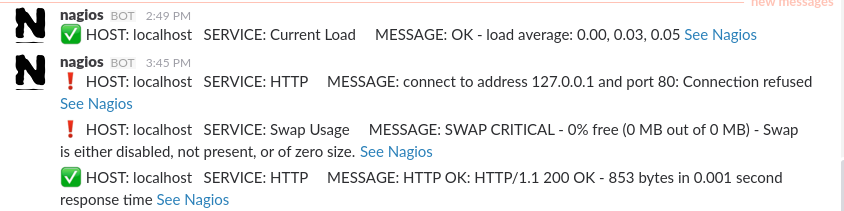
Отправляем Custom notify из Nagios, и в чате получаем алерты:
Ссылки по теме
http://matthewcmcmillan.blogspot.com
